




Repair
Repair Price: $ 732.00
Purchase
CSL Part Number: 118889
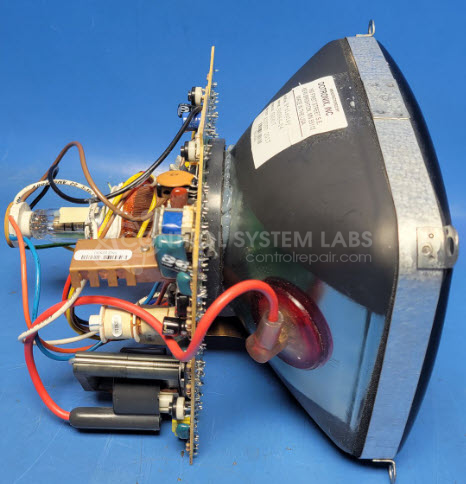
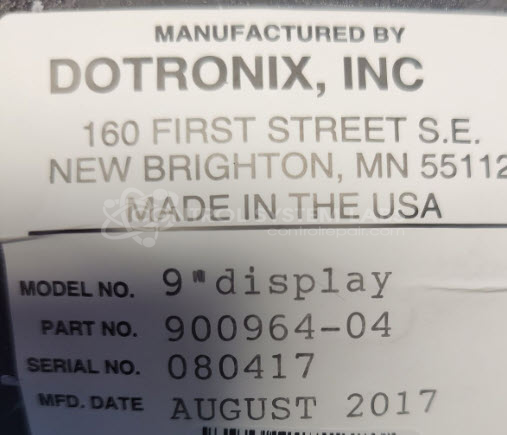
Product Overview: The Dotronix 900964-04 is a 9-inch CRT monitor used in industrial and commercial applications. It features analog video input and operates with horizontal and vertical deflection circuits driven by specialized ICs including the TDA1170N vertical deflection system. The display uses a cathode ray tube with brightness adjustment controls and is typically found in legacy point-of-sale systems, industrial control stations, and embedded display applications. Common configurations include single composite video input with on-screen adjustment potentiometers for brightness and contrast control.
Category: Monitors
Manufacturer: Dotronix
Manufacturer Part Number: 900964-04
Repair price shown does not include a CRT replacement if required. If the CRT is weak we may be able to rejuvenate it. If replacement required that will be quoted extra.
Common Failures
The Dotronix 9" display may experience brightness issues where the screen dims over time. Some units have been reported to fail to display an image. Burn-in can also occur on these displays.
Repair Challenges
Repair efforts may be affected by component availability. Key components such as capacitors can fail, which may affect the functionality of the display. Additionally, the CRT may weaken over time, which can affect display quality.
Testing & Quality
We can evaluate units to determine serviceability. Issues such as display fading or image quality concerns may indicate component failures. We will perform diagnostic testing to assess the condition of the unit and provide a quotation if repair is feasible. Parts availability and the extent of component failure will determine whether a repair can be completed.
Service and repair your broken Dotronix part
We can repair your Dotronix model 900964-04 in our facility. Let our skilled technicians get your Dotronix back in operation quickly.
Step 1 - Click the green 'Repair Now' button above to add the part and then complete the RMA.
Step 2 - The RMA form will be sent to you via email. Print the RMA form and put it in a box with the item(s) for repair.
Step 3 - Ship or mail the box to the address listed on the RMA.
Once the user has seen at least one product this snippet will be visible.