



Repair
Call for price
Purchase
CSL Part Number: 100814
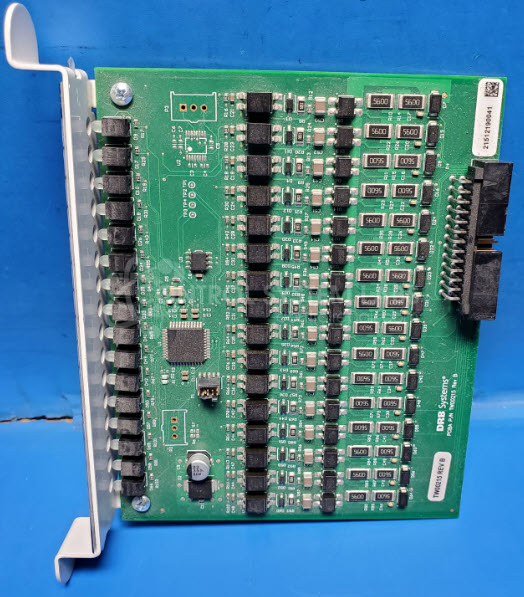
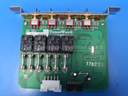
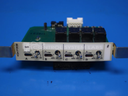
Product Overview: The TunnelWatch Input Board is a digital input module designed for DRB Systems' TunnelWatch car wash control system. It monitors sensor signals from various positions along the wash tunnel, including photoelectric eyes, proximity sensors, and limit switches that track vehicle presence and equipment status. The board features multiple input ports (typically 8-16 channels) that interface between field devices and the main TunnelWatch controller. It is commonly used in automated tunnel car wash systems to coordinate wash sequences, chemical application, and conveyor operation based on real-time vehicle positioning and equipment feedback.
Category: Control Board
Manufacturer: DRB Systems
Manufacturer Synonyms: DRB Solutions Vontier
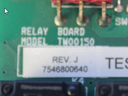
Manufacturer Part Number: TW00215 Rev B
Series: TunnelWatch Car Wash
Also Known As(AKA): 001-5933E
Common Failures
One of the frequent issues observed with this product is a malfunctioning port on the input card used in carwash tunnel controllers. This problem typically involves the port failing to process signals from connected sensors properly.
Repair Approach
The typical repair involves evaluating the input card to identify the malfunctioning port. This may include replacing components as necessary. In some cases, the repair might be handled on a Time and Materials basis depending on the extent of the issue. We can provide a quotation once the unit is received and reviewed.
Service and repair your broken DRB Systems part
We can repair your DRB Systems model TW00215 Rev B in our facility. Let our skilled technicians get your DRB Systems back in operation quickly.
Step 1 - Click the green 'Repair Now' button above to add the part and then complete the RMA.
Step 2 - The RMA form will be sent to you via email. Print the RMA form and put it in a box with the item(s) for repair.
Step 3 - Ship or mail the box to the address listed on the RMA.
Once the user has seen at least one product this snippet will be visible.