



Repair
Repair Price: $ 884.00
Purchase
CSL Part Number: 11449
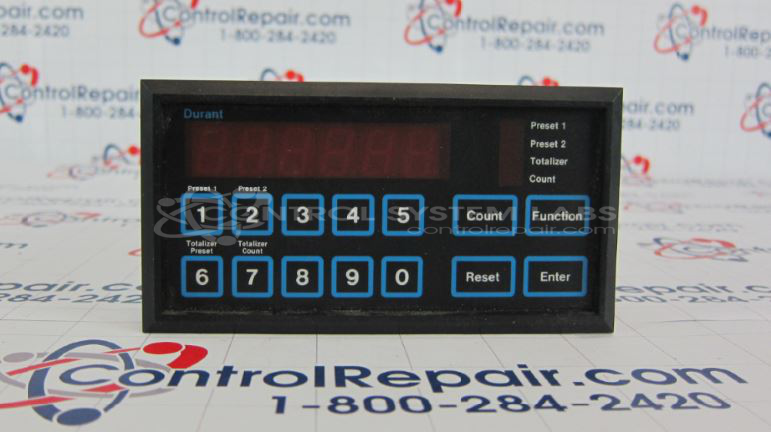
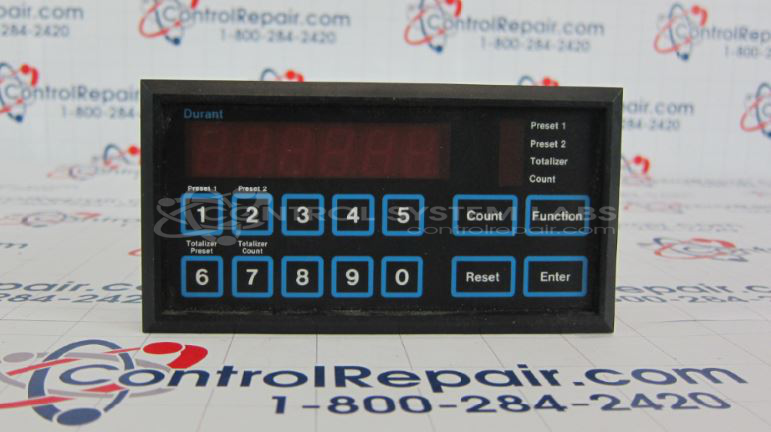
Product Overview: The Durant 58851-400 is a 6-digit dual preset electronic counter from the 5885 series. It accepts pulse or quadrature encoder inputs and provides programmable preset outputs for count-based control applications. Commonly used in packaging, material handling, and process control systems where precise counting and automated stopping or triggering at specific counts is required. The unit features front panel programming buttons and a digital display with selectable decimal point positions for versatile counting configurations.
Category: Counters
Manufacturer: Durant
Manufacturer Synonyms: Durant Tool Company
Manufacturer Part Number: 58851-400
Series: 5885 Dual Preset 6 Digit Counter
Common Failures
Units may exhibit display errors, counting irregularities, or button operation issues. These conditions can result from corrosion, material buildup, or component wear.
Repair Approach
Once the unit is received and reviewed, we can provide a quotation before any repair work begins. Our evaluation may include component inspection, diagnostic testing, and cleaning or replacement of affected parts as needed. We address the specific findings identified during the evaluation process.
Testing & Quality
Units are tested using appropriate diagnostic procedures and test fixtures. Testing may include extended run time to confirm stable operation. Each unit is reviewed by our technicians to verify that identified issues have been addressed before the unit is returned.
Service and repair your broken Durant part
We can repair your Durant model 58851-400 in our facility. Let our skilled technicians get your Durant back in operation quickly.
Step 1 - Click the green 'Repair Now' button above to add the part and then complete the RMA.
Step 2 - The RMA form will be sent to you via email. Print the RMA form and put it in a box with the item(s) for repair.
Step 3 - Ship or mail the box to the address listed on the RMA.
Once the user has seen at least one product this snippet will be visible.