



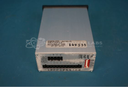
Repair
Repair Price: $ 794.00
Purchase
CSL Part Number: 80046
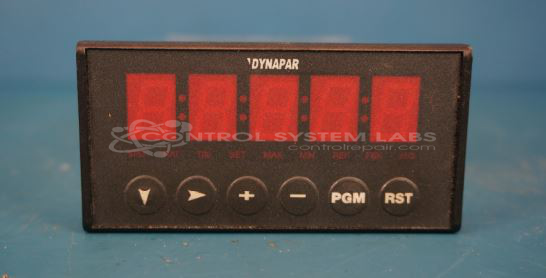
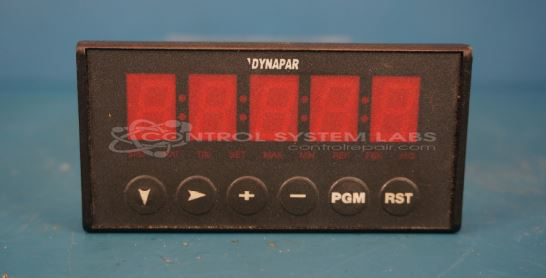
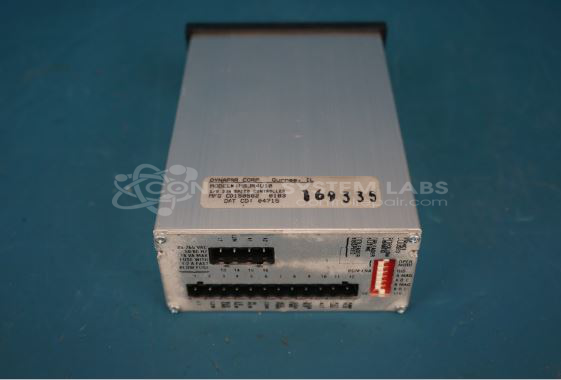
Product Overview: The Dynapar MSJR4U10 Max-Jr is a programmable motor speed control used to regulate and maintain motor speeds in industrial machinery. It features follow ratio capabilities, dual signal inputs (A and B) with configurable square wave thresholds and current sources, and 12V accessory power output. Common applications include conveyors, packaging equipment, and material handling systems where precise speed control or ratio-following between multiple motors is required. The unit includes a front panel interface for programming and monitoring operational parameters.
Category: Operator Interface
Manufacturer: Dynapar
Manufacturer Part Number: MSJR4U10
Series: MSJR Motor Speed Control
Common Failures
Units evaluated by CSL have exhibited issues with speed control, including irregular speed regulation, autonomous speed variation, or unexpected full-speed operation. Other reported problems include difficulties entering program mode or units that do not run.
Repair Approach
Repair work has included replacement of defective capacitors identified during evaluation as contributing to speed control issues. In some cases, technicians have verified program mode entry and exit functionality to address reported programming concerns.
Testing & Quality
Repaired units undergo testing, including burn-in procedures, to verify functionality. Testing has included verification of front interface operation and programming capabilities. When available, supporting materials such as manuals may be included with the returned unit.
Service and repair your broken Dynapar part
We can repair your Dynapar model MSJR4U10 in our facility. Let our skilled technicians get your Dynapar back in operation quickly.
Step 1 - Click the green 'Repair Now' button above to add the part and then complete the RMA.
Step 2 - The RMA form will be sent to you via email. Print the RMA form and put it in a box with the item(s) for repair.
Step 3 - Ship or mail the box to the address listed on the RMA.
Once the user has seen at least one product this snippet will be visible.