




Repair
Repair Price: $ 384.00
Purchase
CSL Part Number: 21057
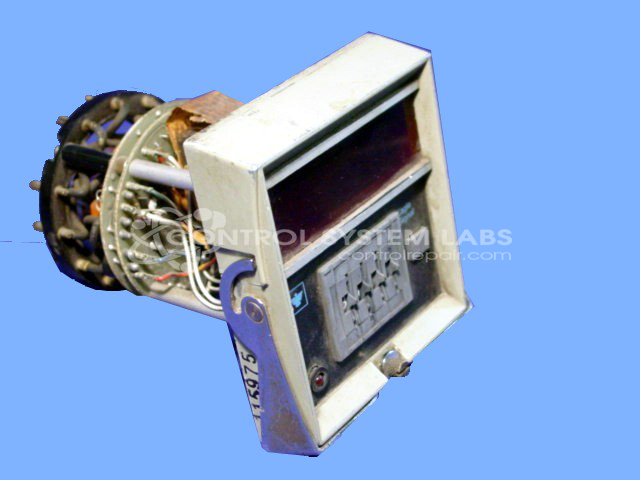
Product Overview: A digital reset timer providing programmable time-delay control for industrial automation and machine sequencing applications. Time settings are entered via thumbwheel switches rather than a display. Features relay output switching and operates on 115 VAC. Used for timed on/off control in process and equipment cycles.
Category: Timers
Manufacturer: Eagle Signal
Manufacturer Synonyms: DANAHER
Manufacturer Part Number: CT5302A6
Common Failures
Several issues have been noted, including control problems such as LED burnout, 115Vac relay failure, and poor performance of supply capacitors. There have also been instances of inconsistent timing due to leakage across thumbwheels.
Repair Approach
Repairs frequently involve replacing components such as capacitors, LEDs, and relays. Cleaning of relays and thumbwheels is often necessary to restore functionality. Soldering work is a common part of the repair process to ensure all connections are secure.
Testing & Quality
After repairs, each unit undergoes thorough testing to confirm proper operation. This includes operational checks and testing under load when necessary. Some units are subjected to extended burn-in periods to help confirm reliability.
Service and repair your broken Eagle Signal part
We can repair your Eagle Signal model CT5302A6 in our facility. Let our skilled technicians get your Eagle Signal back in operation quickly.
Step 1 - Click the green 'Repair Now' button above to add the part and then complete the RMA.
Step 2 - The RMA form will be sent to you via email. Print the RMA form and put it in a box with the item(s) for repair.
Step 3 - Ship or mail the box to the address listed on the RMA.
Once the user has seen at least one product this snippet will be visible.