


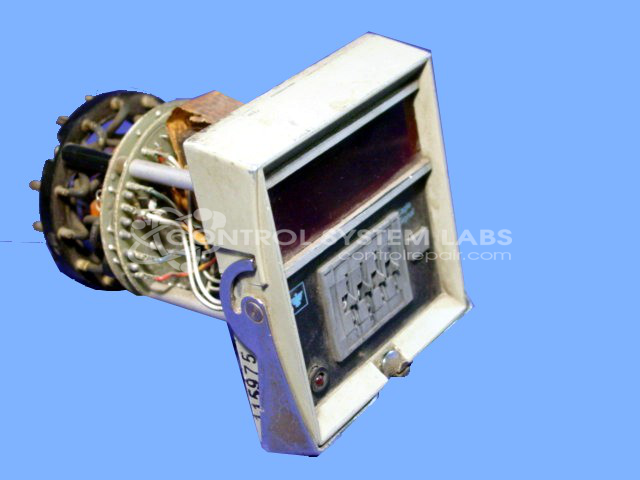


Repair
Repair Price: $ 368.00
Purchase
CSL Part Number: 30870
Product Overview: A digital reset timer providing programmable time-delay control for industrial automation and process equipment. It uses thumbwheel switches for setpoint entry without a display, with relay outputs for switching control circuits. Common in machine sequencing and cycle timing applications.
Category: Timers
Manufacturer: Eagle Signal
Manufacturer Synonyms: DANAHER
Manufacturer Part Number: CT530A603
Common Failures
This product has experienced common issues primarily related to relay components and capacitors. Notable symptoms include failure of instant relays, main relays, and voltage relays, often coupled with the need for capacitor replacement. There have also been instances of solder joint issues and thumbwheel component wear.
Repair Approach
Repairs frequently involve replacing various relays such as instant, main, and voltage relays, as well as capacitors. In addition, repairs include cleaning and resoldering connections to ensure stable operation. The thumbwheels are also repaired or replaced as necessary to maintain usability.
Testing & Quality
After completing repairs, thorough testing is conducted to confirm proper function. This includes verifying operational integrity over multiple cycles and ensuring that all components meet performance standards.
Service and repair your broken Eagle Signal part
We can repair your Eagle Signal model CT530A603 in our facility. Let our skilled technicians get your Eagle Signal back in operation quickly.
Step 1 - Click the green 'Repair Now' button above to add the part and then complete the RMA.
Step 2 - The RMA form will be sent to you via email. Print the RMA form and put it in a box with the item(s) for repair.
Step 3 - Ship or mail the box to the address listed on the RMA.
Once the user has seen at least one product this snippet will be visible.