



Repair
Repair Price: $ 2,914.00
Purchase
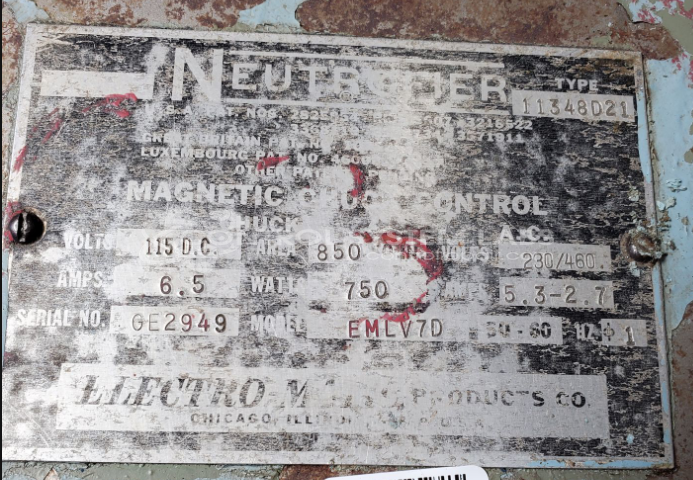
CSL Part Number: 105593
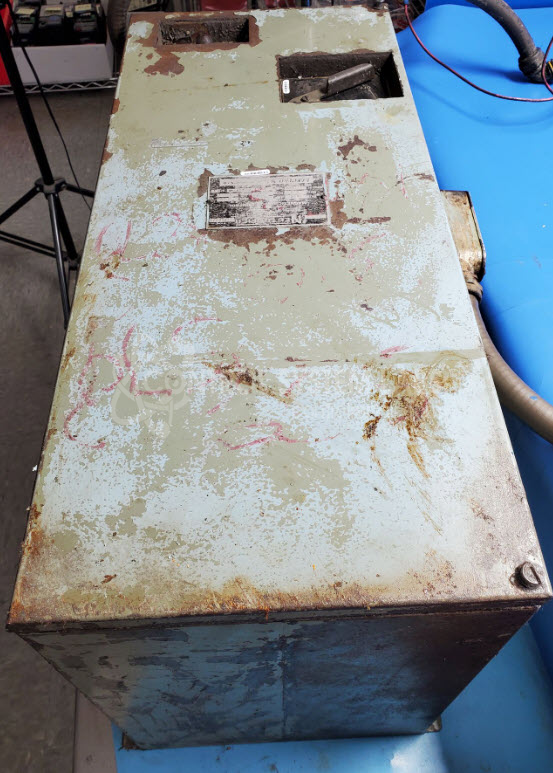
Product Overview: The Neutrofier EMLV7D is a magnetic chuck controller manufactured by Electro-Matic Products, part of their Neutrol and Neutrofier series. It provides regulated DC power to electromagnetic chucks used to securely hold ferromagnetic workpieces during machining operations on surface grinders, milling machines, and other metalworking equipment. The controller features multiple operating modes including magnetize, demagnetize, and variable power control, with front panel indicators for power status. It delivers precise control of magnetic field strength and includes integrated demagnetization circuitry to safely release workpieces without residual magnetism.
Category: Magnetic Chuck Controls
Manufacturer: Electro-Matic Products
Manufacturer Synonyms: Electromatic, ELMATCO
Manufacturer Part Number: EMLV7D
Series: Neutrol and Neutrofier Magnetic Chuck Controls
Please send in associated controller to assist in test.
Common Failures
During evaluation, a defective 2.5Kohm resistor was identified. This resistor was associated with the full power indicator light on the control panel. A blown red power indicator bulb on the front panel was also identified. The unit required cleaning due to oil contamination.
Repair Approach
The defective resistor was replaced with appropriate clearance to reduce the risk of overheating. A test resistor was used to verify function of the full power indicator light before final installation.
Testing & Quality
Post-repair testing included burn-in testing with a 220V lamp monitored by oscilloscope. Each switch and variable knob was tested through multiple mode changes. The unit was verified by qualified personnel before completion.
Service and repair your broken Electro-Matic Products part
We can repair your Electro-Matic Products model EMLV7D in our facility. Let our skilled technicians get your Electro-Matic Products back in operation quickly.
Step 1 - Click the green 'Repair Now' button above to add the part and then complete the RMA.
Step 2 - The RMA form will be sent to you via email. Print the RMA form and put it in a box with the item(s) for repair.
Step 3 - Ship or mail the box to the address listed on the RMA.
Once the user has seen at least one product this snippet will be visible.