



Repair
Repair Price: $ 496.00
Purchase
CSL Part Number: 11737
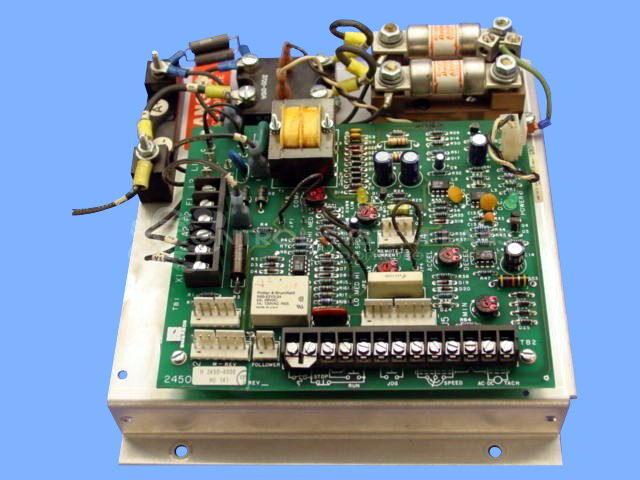
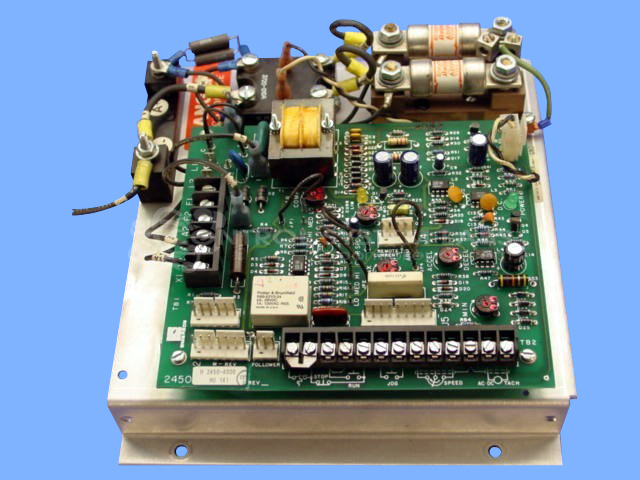
Product Overview: The Focus II 2450-8015 is an open heat sink mount DC motor drive rated for 3 to 5 horsepower applications. Manufactured by Emerson (formerly WER), it controls DC motor speed and provides both armature and field outputs with selectable feedback modes including tachometer or armature voltage. This drive features adjustable speed range, acceleration/deceleration rates, current limiting, and IR compensation controls. Common settings include 180V maximum armature voltage. It supports Run and Jog operating modes and is typically used in paper handling and industrial machinery requiring precise DC motor control.
Category: DC Motor Controls
Manufacturer: Emerson
Alternate Manufacturer Names: WER
Manufacturer Part Number: 2450-8015
Series: Focus 2 DC Drive
Other Synonyms: WER
Common Failures
The most frequently reported issue with this product is that it will not power on. The underlying causes are often related to broken wiring, circuit board trace damage, or defective components such as timers and potentiometers. Oxidation of components also contributes to this problem.
Repair Approach
Repairs typically involve resoldering or replacing broken wires and repairing circuit board traces. Preventative maintenance may include replacing components such as the 555 timer and associated potentiometers. During the repair process, any errors such as incorrect component installation are corrected.
Testing & Quality
After repairs, units undergo testing to confirm functionality. Burn-in tests are conducted with a motor for extended periods. The testing process includes verifying the functionality of speed and current control, indicator lights, and ensuring the unit operates in various modes such as Run and Jog.
Service and repair your broken Emerson part
We can repair your Emerson model 2450-8015 in our facility. Let our skilled technicians get your Emerson back in operation quickly.
Step 1 - Click the green 'Repair Now' button above to add the part and then complete the RMA.
Step 2 - The RMA form will be sent to you via email. Print the RMA form and put it in a box with the item(s) for repair.
Step 3 - Ship or mail the box to the address listed on the RMA.
Once the user has seen at least one product this snippet will be visible.