




Repair
Repair Price: $ 3,984.00
Purchase
CSL Part Number: 86646
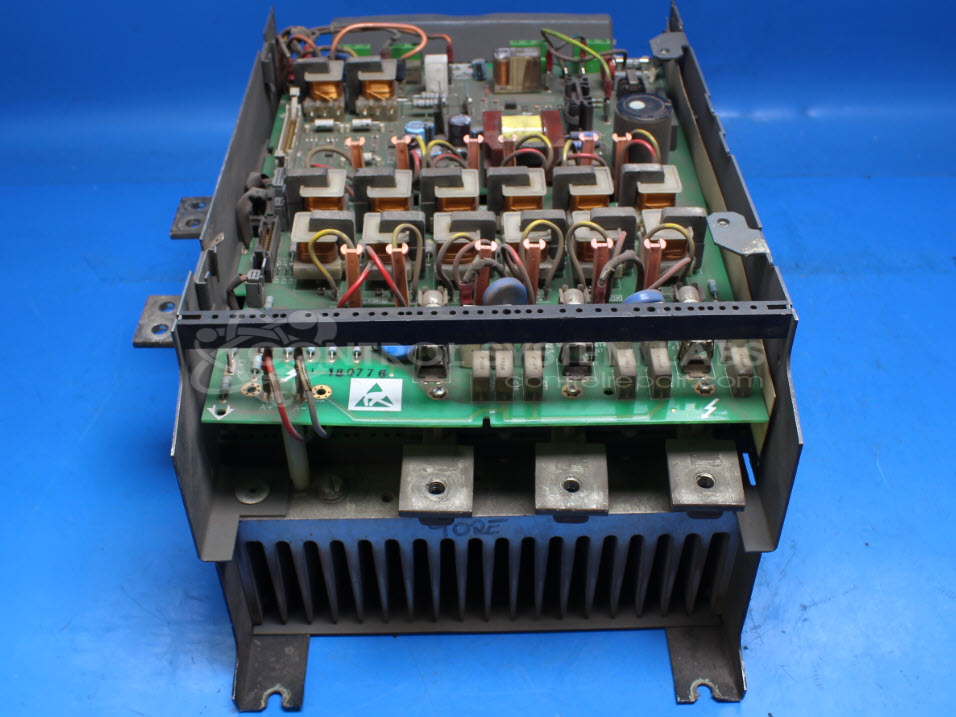
Product Overview: A DC drive power stack rated 600V and 270A armature current, using SCR-based bridge circuitry to control speed and torque of industrial DC motors. Commonly applied in paper mills, converting lines, and other process machinery requiring regulated DC motor control.
Category: DC Motor Controls
Manufacturer: Eurotherm
Alternate Manufacturer Names: Eurotherm Drives, Invensys, Parker
Manufacturer Part Number: 590S/2700/9/1/1/00
Series: 590S Series DC Drive Stack Variant
Other Synonyms: Eurotherm Drives, Invensys, Parker
Common Failures
Two frequently reported issues include "ERROR 'ACCTS FAILED'" affecting the armature current sensor and "ERROR '3 PHASE FAILED'" leading to the opening of 10 amp fuses A & B. Both issues point to various components not being within specification, such as certain relay models, SCR modules, and resistors.
Repair Approach
Repairs may involve replacing faulty components, such as SCR modules with open pins, non-spec relays, leaking electrolytic capacitors, and open diodes. Post-repair, the drives undergo testing to verify resolution of the reported errors.
Testing & Quality
After component replacement, drives are tested to verify correct operation, with diagnostic indicators showing as expected. Testing is completed to the extent possible at the unit level. Further configuration with the customer's motor may require additional software and hardware at the customer's facility.
Service and repair your broken Eurotherm part
We can repair your Eurotherm model 590S/2700/9/1/1/00 in our facility. Let our skilled technicians get your Eurotherm back in operation quickly.
Step 1 - Click the green 'Repair Now' button above to add the part and then complete the RMA.
Step 2 - The RMA form will be sent to you via email. Print the RMA form and put it in a box with the item(s) for repair.
Step 3 - Ship or mail the box to the address listed on the RMA.
Once the user has seen at least one product this snippet will be visible.