




Repair
Repair Price: $ 408.00
Purchase
CSL Part Number: 58108
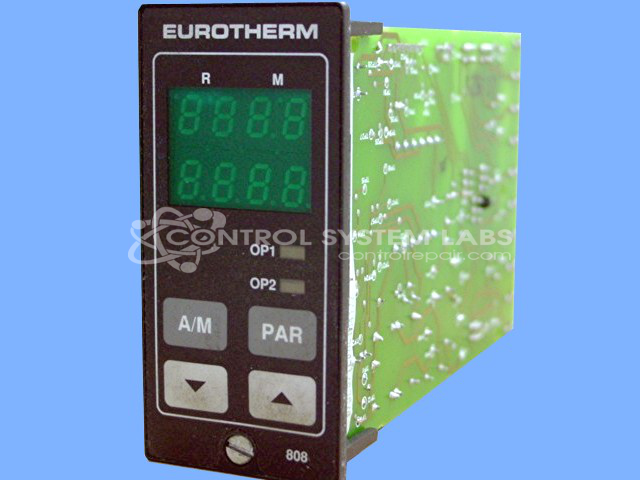
Product Overview: A 1/8 DIN digital temperature controller in a vertical panel-mount format, used to regulate process temperature in industrial heating and control applications. It accepts thermocouple inputs, such as J-type ranging 0–800°F, and features a front keypad and display for setpoint configuration.
Category: Temperature Control
Manufacturer: Eurotherm
Manufacturer Part Number: 808/D1/0/0/0/0/QS/(AJHF400
Series: 808 and 847 Series Digital Controller
The Eurotherm 808/847 Series comes in an assortment of configurations. Please submit your device using the exact part number or use this number if the exact number can not be found.
Common Failures
This product may experience failures related to capacitors and physical components such as the front bezel and keypad. Symptoms of these issues can include loss of function and operational inconsistency.
Repair Approach
The repair process often involves cleaning and inspecting the control systems and replacing faulty capacitors. Common replacements include capacitors rated at 470uf/10v, 220uf/25v, and 100uf/25v. Additionally, physical components like the front bezel and keypad are replaced as needed to restore functionality.
Testing & Quality
After repairs, temperature verification is conducted to confirm accurate operation between 0-800°F. A burn-in test lasting 24 hours is performed to verify the reliability and stability of repairs before the repair process is concluded.
Service and repair your broken Eurotherm part
We can repair your Eurotherm model 808/D1/0/0/0/0/QS/(AJHF400 in our facility. Let our skilled technicians get your Eurotherm back in operation quickly.
Step 1 - Click the green 'Repair Now' button above to add the part and then complete the RMA.
Step 2 - The RMA form will be sent to you via email. Print the RMA form and put it in a box with the item(s) for repair.
Step 3 - Ship or mail the box to the address listed on the RMA.
Once the user has seen at least one product this snippet will be visible.