


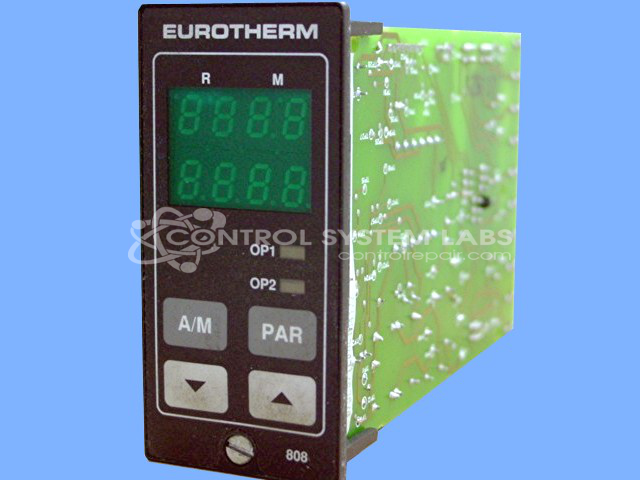
Eurotherm 808/T1/T1/0/0/0/QLS/AJHF-- 1/8 DIN Vertical Temperature Control
Repair
Repair Price: $ 368.00
Purchase
CSL Part Number: 38021
Product Overview: A 1/8 DIN panel-mount digital temperature controller providing closed-loop PID control of heating processes. Supports thermocouple inputs (J-type) and triac outputs for driving heating elements. Commonly used in extruder zones and industrial thermal processing. Configurable across multiple input, output, and alarm options.
Category: Temperature Control
Manufacturer: Eurotherm
Manufacturer Part Number: 808/T1/T1/0/0/0/QLS/AJHF--
Series: 808 and 847 Series Digital Controller
The Eurotherm 808/847 Series comes in an assortment of configurations. Please submit your device using the exact part number or use this number if the exact number can not be found.
Common Failures
Common issues with this product include faulty capacitors, failed diodes, and damaged front bezels. Fuse failures affecting the Out2 triac board have also been observed. Typical symptoms include reduced power output and non-functional triac modules.
Repair Approach
Repairs typically involve replacing damaged capacitors and diodes, along with fuses on the triac board. A damaged front bezel may require replacement as well. Power supply cleaning and recalibration of temperature settings are standard maintenance steps during the repair process.
Testing & Quality
All repaired units undergo thorough testing, including DC power checks and temperature verification. A standard burn-in period of 24 to 120 hours helps ensure reliability and proper function post-repair. When evaluation determines a unit is serviceable without requiring repair work, we provide that information to the customer.
Service and repair your broken Eurotherm part
We can repair your Eurotherm model 808/T1/T1/0/0/0/QLS/AJHF-- in our facility. Let our skilled technicians get your Eurotherm back in operation quickly.
Step 1 - Click the green 'Repair Now' button above to add the part and then complete the RMA.
Step 2 - The RMA form will be sent to you via email. Print the RMA form and put it in a box with the item(s) for repair.
Step 3 - Ship or mail the box to the address listed on the RMA.
Once the user has seen at least one product this snippet will be visible.