




Repair
Repair Price: $ 584.00
Purchase
CSL Part Number: 32088
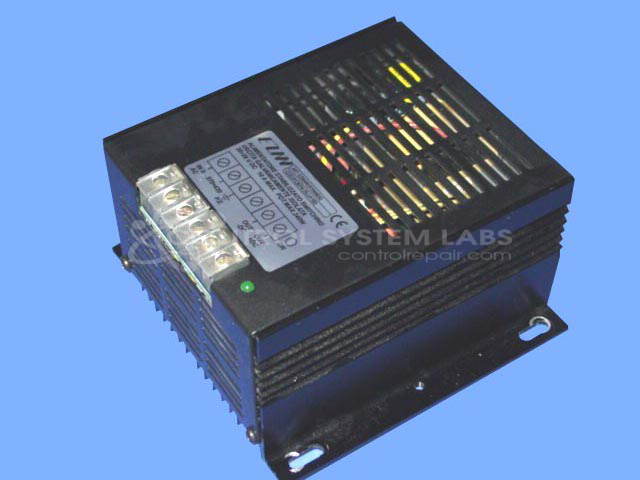
Product Overview: A switch-mode industrial power supply delivering a regulated 24VDC output at up to 10A. It converts AC line input to stable DC power for control circuits, sensors, and automation equipment, including paper-industry machinery. Features current-mode PWM control and overload protection.
Category: Power Supply
Manufacturer: EZM
Manufacturer Part Number: EZMARSR10ABDQ
Power supplies are tested with a minimum 4-hour burn-in, under load.
Common Failures
Customers have reported issues where the unit does not start, trips the breaker on power-up, and occasionally emits a burnt smell. Other observed symptoms include failure to provide output and various component malfunctions potentially attributed to external factors like power spikes or water exposure.
Repair Approach
Repairs generally include the replacement of multiple components like pulse transformers, transistors, capacitors, diodes, and FETs. To prevent recurrent issues, components such as electrolytic capacitors are often replaced as a precautionary measure. Care is taken to repair any damaged traces, and thorough cleaning of the unit is performed. In some cases, a preventative approach like adding cooling fans is suggested.
Testing & Quality
After repairs, units undergo rigorous burn-in testing under load for extended periods, ranging from 7 to 24 hours, to ensure reliability and quality assurance. Units that cannot be reliably restored are determined to be Beyond Economic Repair.
Service and repair your broken EZM part
We can repair your EZM model EZMARSR10ABDQ in our facility. Let our skilled technicians get your EZM back in operation quickly.
Step 1 - Click the green 'Repair Now' button above to add the part and then complete the RMA.
Step 2 - The RMA form will be sent to you via email. Print the RMA form and put it in a box with the item(s) for repair.
Step 3 - Ship or mail the box to the address listed on the RMA.
Once the user has seen at least one product this snippet will be visible.