




Repair
Repair Price: $ 704.00
Purchase
CSL Part Number: 34847
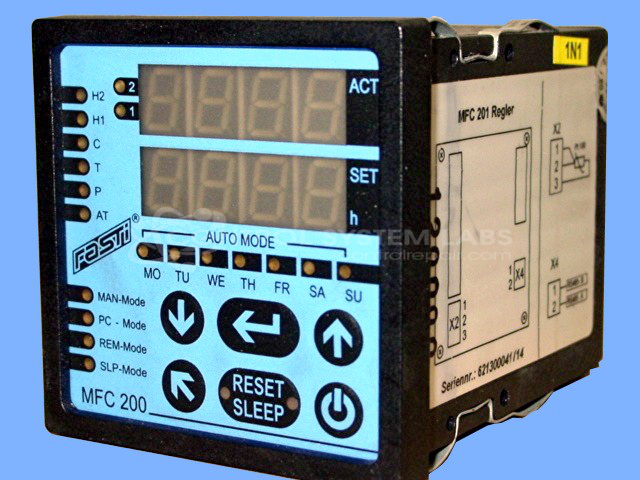
Product Overview: A microprocessor-based temperature control head used to monitor and regulate drying temperatures in industrial dryer systems, commonly found in paper processing equipment. Features a seven-segment display, adjustable setpoint controls, relay and triac outputs, and onboard battery backup.
Category: Temperature Control
Manufacturer: Fasti
Manufacturer Part Number: MFC200
Requires Hesch control board 9921-1-A to be included for this repair.
Common Failures
CSL has observed issues with setpoint adjustment on this controller. In some cases, pressing the increase button causes the setpoint to jump to the maximum setting, while pressing decrease results in the minimum setting, with intermediate adjustments not achievable. Display issues have also been observed, including intermittent operation of the 7-segment display.
Repair Approach
Repairs have included replacement of defective components such as capacitors, diodes, and the 7-segment display, along with cleaning and thorough testing to verify functionality. Some units have been identified as Beyond Economic Repair due to unavailable calibration procedures or communication failures that prevent proper evaluation.
Testing & Quality
Repaired units undergo comprehensive testing, including switch operation tests, voltage checks, and burn-in procedures to verify reliability. Units that cannot be fully tested or evaluated are returned unrepaired with findings provided to the customer.
Service and repair your broken Fasti part
We can repair your Fasti model MFC200 in our facility. Let our skilled technicians get your Fasti back in operation quickly.
Step 1 - Click the green 'Repair Now' button above to add the part and then complete the RMA.
Step 2 - The RMA form will be sent to you via email. Print the RMA form and put it in a box with the item(s) for repair.
Step 3 - Ship or mail the box to the address listed on the RMA.
Once the user has seen at least one product this snippet will be visible.