




Repair
Repair Price: $ 904.00
Purchase
CSL Part Number: 71335
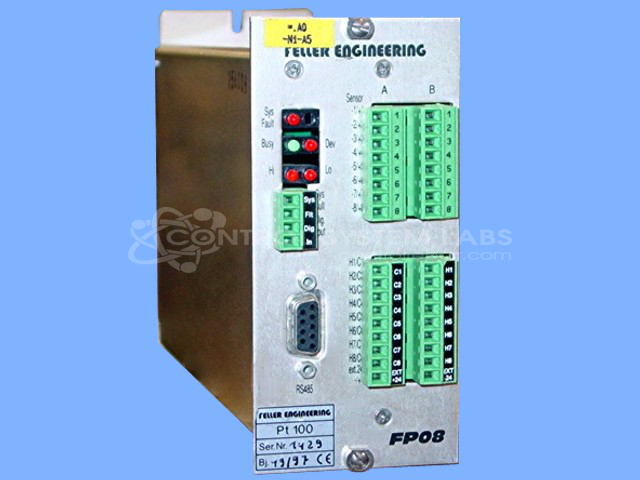
Product Overview: The Eight Channel RTD Controller by Feller Engineering, model FP08 PT100 RTD, is an operator interface device designed to monitor and control temperature across eight RTD channels, typically using PT100 sensors. Commonly utilized in paper industry applications, it features RS-232 connectivity and can configure inputs for either RTD or 0-10V signals. Key functions include precise analog input monitoring with adjustable settings via specialized software.
Category: Operator Interface
Manufacturer: Feller Engineering
Manufacturer Part Number: FP08 PT100 RTD
Include the Feller SI 13 C Communication Module with this repair.
Common Failures
This product has shown issues primarily with the RS232 transceiver chip, resulting in communication failures. Symptoms include lack of enumeration when using RS232-based software and inactivity on the RS232 driver chip despite power and signal transmission from connected devices.
Repair Approach
Repairs involved replacing both the SN75176B driver IC and the ADM232AA serial port IC. Post-repair testing confirmed that these replacements restored functionality, enabling communication with diagnostic software.
Testing & Quality
Diagnostic testing was performed using vendor-specific software to verify proper functionality. The unit successfully responded to input changes, and videos documented this interaction. A two-hour burn-in test was conducted to confirm stability and functionality when integrated with RS232 communication and analog inputs.
Service and repair your broken Feller Engineering part
We can repair your Feller Engineering model FP08 PT100 RTD in our facility. Let our skilled technicians get your Feller Engineering back in operation quickly.
Step 1 - Click the green 'Repair Now' button above to add the part and then complete the RMA.
Step 2 - The RMA form will be sent to you via email. Print the RMA form and put it in a box with the item(s) for repair.
Step 3 - Ship or mail the box to the address listed on the RMA.
Once the user has seen at least one product this snippet will be visible.