




Repair
Repair Price: $ 632.00
Purchase
CSL Part Number: 31984
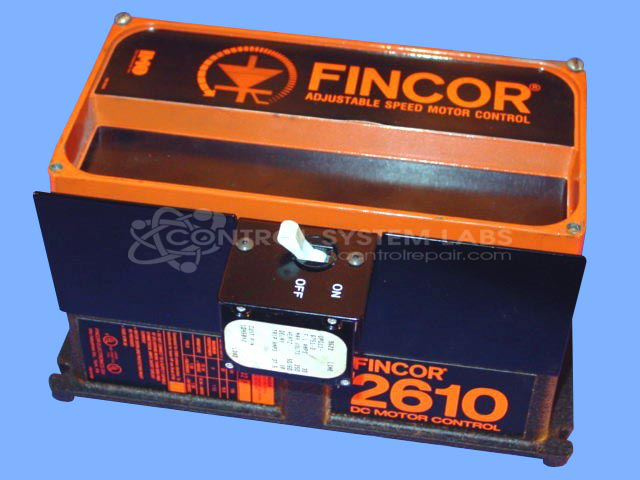
Product Overview: The Fincor 2610 (model 2612B) is a compact DC motor controller from the 2600/2610 series, designed to drive motors ranging from 0.5 to 3 horsepower. It provides armature and field voltage control for variable-speed DC motor applications. Commonly found in paper processing equipment and similar industrial machinery, it features relay-based direction control and integrated motor protection circuits. The controller accepts AC input power and delivers regulated DC output for precise speed and torque control.
Category: DC Motor Controls
Manufacturer: Fincor
Manufacturer Part Number: 2612B
Series: 2600/2610 Series DC Motor Controllers
Common Failures
Customers have reported that units may stop working entirely or operate only in a limited mode, such as jogging forward but not in reverse. In some cases, the unit fails to engage the expected output when activated.
Repair Approach
Initial diagnostics often reveal problems with relay components, though replacement does not always resolve the issue. Some units exhibit internal damage that cannot be fully diagnosed due to parts availability or the presence of certain proprietary components. As a result, some units may be determined to be Beyond Economic Repair (BER).
Testing & Quality
Units undergo diagnostic testing to assess electrical output and component functionality. In cases where repair is not feasible due to component availability or technical limitations, the unit may be determined to be Beyond Economic Repair (BER).
Service and repair your broken Fincor part
We can repair your Fincor model 2612B in our facility. Let our skilled technicians get your Fincor back in operation quickly.
Step 1 - Click the green 'Repair Now' button above to add the part and then complete the RMA.
Step 2 - The RMA form will be sent to you via email. Print the RMA form and put it in a box with the item(s) for repair.
Step 3 - Ship or mail the box to the address listed on the RMA.
Once the user has seen at least one product this snippet will be visible.