




Repair
Repair Price: $ 620.00
Purchase
CSL Part Number: 85988
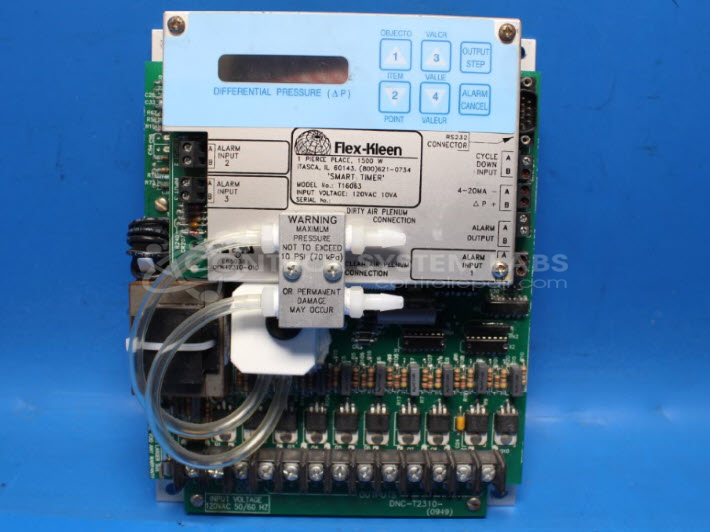
Product Overview: A microprocessor-based sequential timer controller that pulses up to 10 solenoid valve outputs to clean filter bags in industrial pulse-jet dust collection systems. Operates on 120 VAC, 10VA input, with a push-button interface and display for configuring cleaning cycles.
Category: Timers
Manufacturer: FLEX-KLEEN
Manufacturer Synonyms: CECO Environmental, Flex Kleen, FLEXKLEEN
Manufacturer Part Number: T16063
Common Failures
This product commonly experiences issues such as not powering up, erratic display functions, and no output working. Reported failures have included faulty microprocessors and issues with the main transformer, including an open main winding and disconnected wires.
Repair Approach
Repairs typically involve replacing faulty integrated circuits and microprocessors, as well as addressing wiring issues with the main transformer. Common procedures include removing and resoldering wires and ensuring that components are correctly inserted and soldered into place.
Testing & Quality
Once repairs are completed, the product undergoes thorough testing. Power-up functionality, button responsiveness, and display operations are verified. Units are subjected to overnight stability tests and, where applicable, a burn-in period to ensure reliability.
Service and repair your broken FLEX-KLEEN part
We can repair your FLEX-KLEEN model T16063 in our facility. Let our skilled technicians get your FLEX-KLEEN back in operation quickly.
Step 1 - Click the green 'Repair Now' button above to add the part and then complete the RMA.
Step 2 - The RMA form will be sent to you via email. Print the RMA form and put it in a box with the item(s) for repair.
Step 3 - Ship or mail the box to the address listed on the RMA.
Once the user has seen at least one product this snippet will be visible.