




Repair
Repair Price: $ 1,664.00
Purchase
CSL Part Number: 32371
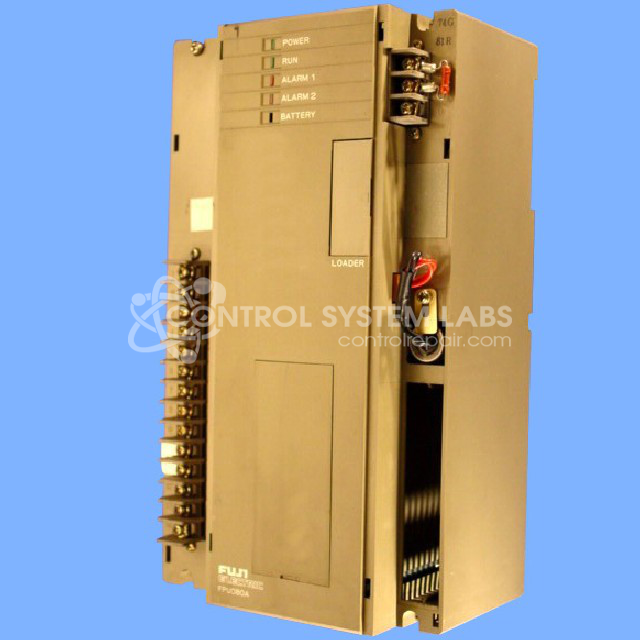
Product Overview: Combined CPU and power supply module for a modular programmable logic controller used in industrial automation and process control, including paper manufacturing equipment. Executes ladder logic programs stored in removable ROM/EPROM cartridges and supplies regulated 5V and 24V outputs. Supports external timer setting modules via configurable communication addressing.
Category: PLC
Manufacturer: Fuji Electric
Manufacturer Synonyms: Fuji
Manufacturer Part Number: FPU080A-A10
Series: MICREX-F FPU PLC
Corrupted programs can not be corrected. You must re-install after repair.
Common Failures
Frequently reported issues for this product include power supply faults, capacitor failures, microprocessor failures, and communication problems. Units may also exhibit defective factory modules that could result in a Beyond Economic Repair determination.
Repair Approach
Repairs may involve replacing faulty capacitors, addressing microprocessor failures, and resolving communication issues through configuration adjustments. Major components such as output transistors and power modules are also evaluated and addressed when necessary.
Testing & Quality
Following repairs, units undergo testing to verify proper functionality. Testing procedures are designed to confirm that replacements and adjustments have successfully addressed the identified issues before units are returned.
Service and repair your broken Fuji Electric part
We can repair your Fuji Electric model FPU080A-A10 in our facility. Let our skilled technicians get your Fuji Electric back in operation quickly.
Step 1 - Click the green 'Repair Now' button above to add the part and then complete the RMA.
Step 2 - The RMA form will be sent to you via email. Print the RMA form and put it in a box with the item(s) for repair.
Step 3 - Ship or mail the box to the address listed on the RMA.
Once the user has seen at least one product this snippet will be visible.