




Repair
Repair Price: $ 1,516.00
Purchase
CSL Part Number: 68236
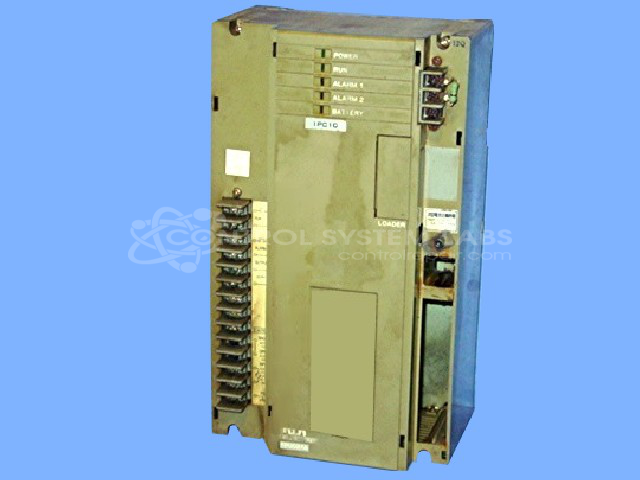
Product Overview: Combined CPU and power supply module for a modular programmable logic controller platform used in industrial automation and process control, including paper manufacturing. It executes the control program and provides regulated DC power to the system. Configurable for 120V or 220V AC input, with battery-backed program memory.
Category: PLC
Manufacturer: Fuji Electric
Manufacturer Synonyms: Fuji
Manufacturer Part Number: FPU081A-A10
Series: MICREX-F FPU PLC
Corrupted programs can not be corrected. You must re-install after repair.
Common Failures
Common reported issues include memory errors, no power conditions, and power supply component degradation. Units may arrive in conditions requiring thorough cleaning as part of the evaluation process.
Repair Approach
Our repair process includes cleaning, component-level inspection, and replacement of worn components such as electrolytic capacitors, backup capacitors, and batteries as needed. Customer programs are preserved and reloaded when applicable.
Testing & Quality
Each unit is tested following repair work. Testing procedures include power supply verification and functional checks. In some cases, units may show No Fault Detected during our evaluation. Please note that certain configurations may limit the extent of communication testing we can perform during evaluation.
Service and repair your broken Fuji Electric part
We can repair your Fuji Electric model FPU081A-A10 in our facility. Let our skilled technicians get your Fuji Electric back in operation quickly.
Step 1 - Click the green 'Repair Now' button above to add the part and then complete the RMA.
Step 2 - The RMA form will be sent to you via email. Print the RMA form and put it in a box with the item(s) for repair.
Step 3 - Ship or mail the box to the address listed on the RMA.
Once the user has seen at least one product this snippet will be visible.