


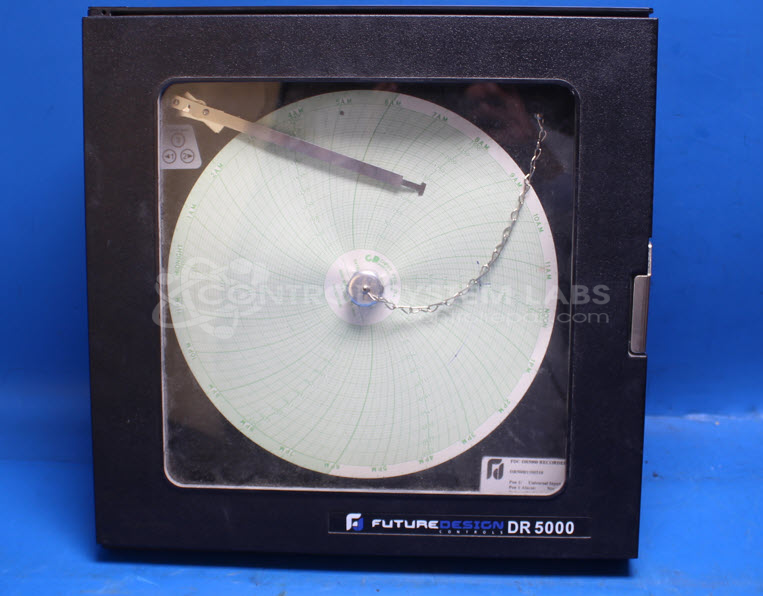


Repair
Repair Price: $ 588.00
Purchase
CSL Part Number: 87810
Product Overview: A circular chart recorder that documents process measurements such as temperature on a rotating paper chart. It supports thermocouple inputs, including type K verified across a 0-2500 degrees F range, and uses pen-and-ink marking driven by internal motors. Common in industrial process monitoring and control applications.
Category: Recorders
Manufacturer: Future Design Controls
Manufacturer Part Number: DR50001100210
Common Failures
A common issue identified in this product line involves transformer-related failures, which can affect the overall functionality of the unit. This type of failure typically requires component-level evaluation and replacement to restore proper operation.
Repair Approach
The repair involved rebuilding the power supply using an equivalent 15V 1A supply. After reassembly, the unit was tested to verify that all components were functioning as intended.
Testing & Quality
Post-repair, the unit underwent verification to confirm that both motors operated correctly and the temperature settings were accurate within the specified range of 0-2500 degrees F. The product was also subjected to an extended burn-in test to verify reliability and performance stability.
Service and repair your broken Future Design Controls part
We can repair your Future Design Controls model DR50001100210 in our facility. Let our skilled technicians get your Future Design Controls back in operation quickly.
Step 1 - Click the green 'Repair Now' button above to add the part and then complete the RMA.
Step 2 - The RMA form will be sent to you via email. Print the RMA form and put it in a box with the item(s) for repair.
Step 3 - Ship or mail the box to the address listed on the RMA.
Once the user has seen at least one product this snippet will be visible.