



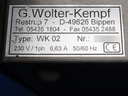
Repair
Call for price
Purchase
CSL Part Number: 84561
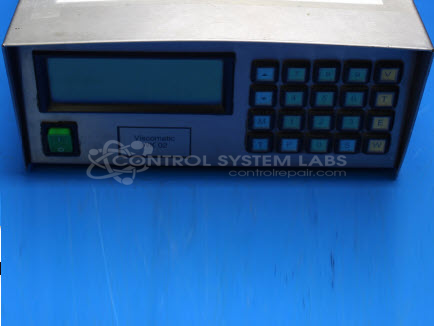
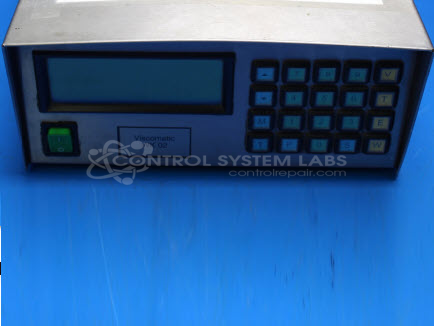
Product Overview: The Viscomatic WK 02 by G. Wolter-Kempf is a viscosity control unit used in industrial paper manufacturing processes to monitor and regulate fluid viscosity. It interfaces with a sensor assembly to measure viscosity and temperature, typically using a 4-wire thermistor connection for temperature sensing. The unit includes a processor board with relays and input resistors, an AC-powered control console with digital display, and connections for viscosity sensors and pump control. It is designed to maintain consistent fluid properties critical to paper production quality.
Category: Control Assembly
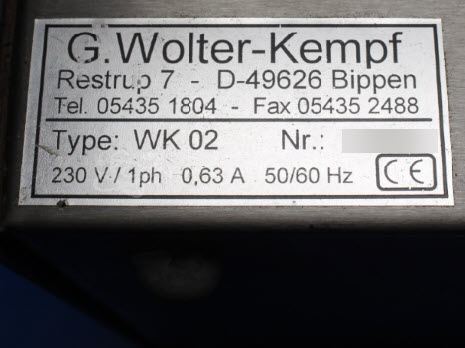
Manufacturer: G. Wolter-Kempf
Manufacturer Part Number: Viscomatic WK 02
For adjusting the viscosity of glue for a dispenser. Cannot repair calibration problems. Internal parts have markings obliterated. Power supply problems are repairable.
Common Failures
Units may exhibit sudden, extremely high viscosity readings. Possible causes include poor soldering from previous repair attempts, solder splash or flux debris, heat stress damage, and corrosion inside the case.
Repair Approach
Repairs may involve cleaning debris from processor boards, resoldering input components, and inspecting for prior repair damage. For temperature sensor issues, simulation tests may be conducted using calibrated resistors. Addressing poor connections and ensuring components are correctly mounted are typical steps in the repair process.
Testing & Quality
Repaired units undergo testing, which may include burn-in tests with OEM sensor units simulating various conditions. These tests are designed to verify that the unit responds correctly to sensor inputs before the repair is completed.
Service and repair your broken G. Wolter-Kempf part
We can repair your G. Wolter-Kempf model Viscomatic WK 02 in our facility. Let our skilled technicians get your G. Wolter-Kempf back in operation quickly.
Step 1 - Click the green 'Repair Now' button above to add the part and then complete the RMA.
Step 2 - The RMA form will be sent to you via email. Print the RMA form and put it in a box with the item(s) for repair.
Step 3 - Ship or mail the box to the address listed on the RMA.
Once the user has seen at least one product this snippet will be visible.