


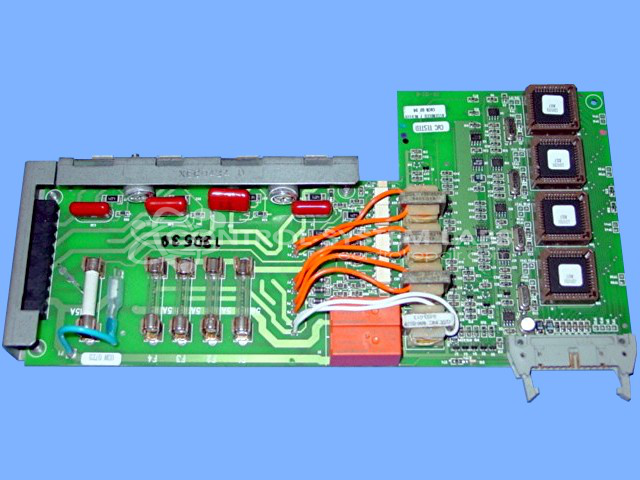


Repair
Repair Price: $ 820.00
Purchase
CSL Part Number: 35808
Product Overview: A four-zone output module for hot runner temperature control systems used in plastic injection molding. It drives heater loads at up to 3A per zone via triac outputs, providing open-heater detection and fused protection for each zone. Interfaces with the controller for multi-zone temperature regulation.
Category: Temperature Control
Manufacturer: Gammaflux
Manufacturer Part Number: GB-102-C
Series: TTC Temperature Control
Also Known As(AKA): YGB602C02 P/N
We operate and final test this 4 zone output card for four or more hours.
Common Failures
Frequent issues include zones not heating, open circuit alarms, and blown fuses. Customers commonly report problems with specific zones, which sometimes result in open heater alarms. Other issues reported involve automatic shutdown and connector concerns.
Repair Approach
Our service team addresses these issues by replacing faulty components as needed. Repairs or replacements are conducted based on evaluation findings. Commonly replaced components include resistors, triacs, optocouplers, fuses, connectors, and transistors as necessary to restore proper operation.
Testing & Quality
Repairs undergo verification processes, including communication checks and operational tests. Units are run for extended periods to verify the reliability and effectiveness of repairs. Successful tests are documented as having passed with outputs functioning correctly and zones operating under specified loads.
Service and repair your broken Gammaflux part
We can repair your Gammaflux model GB-102-C in our facility. Let our skilled technicians get your Gammaflux back in operation quickly.
Step 1 - Click the green 'Repair Now' button above to add the part and then complete the RMA.
Step 2 - The RMA form will be sent to you via email. Print the RMA form and put it in a box with the item(s) for repair.
Step 3 - Ship or mail the box to the address listed on the RMA.
Once the user has seen at least one product this snippet will be visible.