




Repair
Repair Price: $ 624.00
Purchase
CSL Part Number: 70948
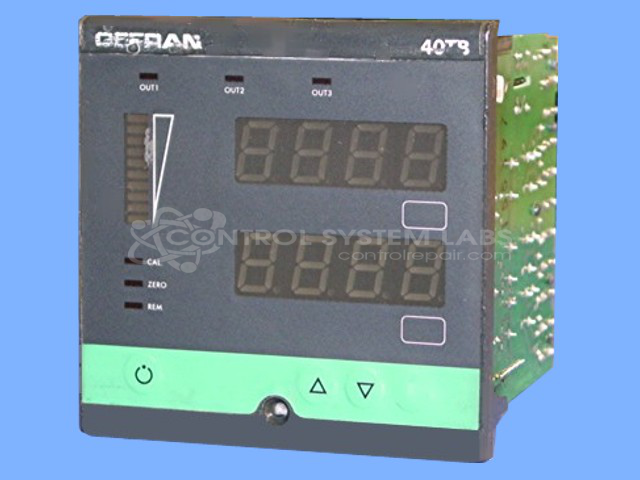
Product Overview: A dual-channel temperature and pressure indicator/interface for industrial process monitoring, displaying and controlling both parameters simultaneously. It accepts thermocouple inputs and pressure transducer signals, providing relay outputs and retransmission output. Commonly used in plastic extrusion and paper processing equipment.
Category: Temperature Control
Manufacturer: Gefran
Manufacturer Part Number: 40TB-10-RRR-2-0-1-A53
Series: 40TB Temperature and Pressure Indicator
Common Failures
Common issues reported include weak display signals and control problems, such as output indicators activating unpredictably or not activating correctly. Burnt or open traces, faulty capacitors, and incorrect relay voltages are frequently identified during evaluation.
Repair Approach
Repairs typically involve cleaning the control area, replacing faulty capacitors, repairing burnt traces, and restoring proper voltage levels by replacing faulty regulators and relays. Missing components, such as surface mount capacitors, are also replaced as needed to restore functionality.
Testing & Quality
Repaired units undergo testing that includes checking power supply voltages, calibrating control outputs, and conducting burn-in periods ranging from 4 to 24 hours to verify proper operation.
Service and repair your broken Gefran part
We can repair your Gefran model 40TB-10-RRR-2-0-1-A53 in our facility. Let our skilled technicians get your Gefran back in operation quickly.
Step 1 - Click the green 'Repair Now' button above to add the part and then complete the RMA.
Step 2 - The RMA form will be sent to you via email. Print the RMA form and put it in a box with the item(s) for repair.
Step 3 - Ship or mail the box to the address listed on the RMA.
Once the user has seen at least one product this snippet will be visible.