



Repair
Repair Price: $ 384.00
Purchase
CSL Part Number: 20522
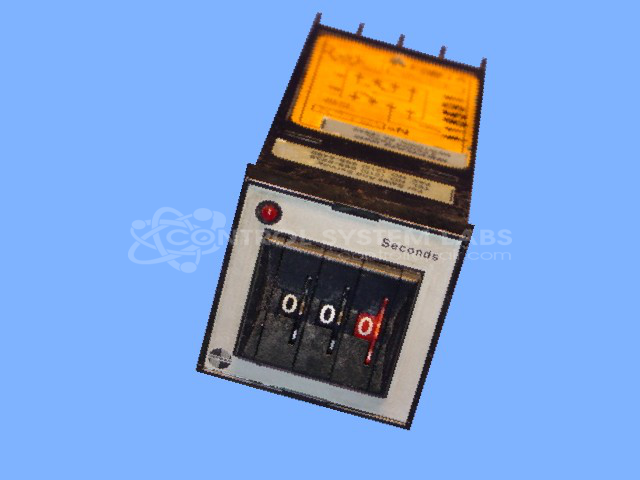
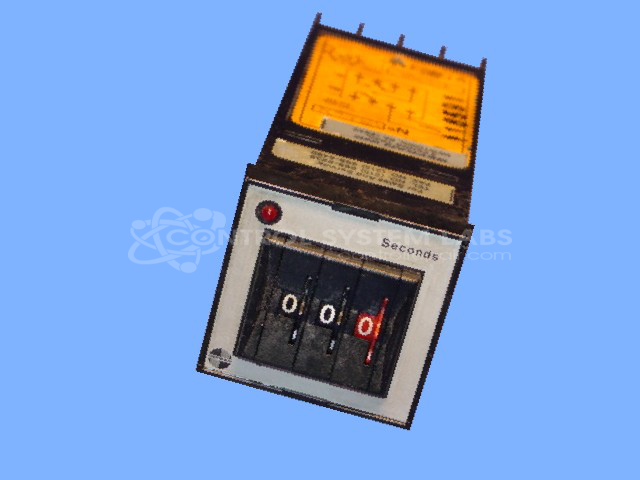
Product Overview: The 1/16 DIN Timer with a digital set and LED display from Gefran is a compact and versatile timer used in industrial automation and control systems. It is typically implemented in environments requiring precise timing functions, such as manufacturing and processing lines. The timer features a robust LED display for easy reading and is part of Gefran's Timer 1/16 DIN series, indicating its compact dimensions suitable for tight panel spaces.
Category: Timers
Manufacturer: Gefran
Manufacturer Part Number: TPD3S/H
Series: Timer 1/16 DIN
Common Failures
This product may experience issues with the transformer and thumbwheels. The transformer may develop an open primary circuit, and the thumbwheels can have broken digits, which may affect operation.
Repair Approach
Repairs may involve cleaning terminal connections and evaluating available components. When original parts are not readily available, we assess suitable alternatives. Some repairs may require additional components depending on the specific unit condition.
Testing & Quality
Products undergo diagnostic testing to identify components that may prevent normal function. Replacement parts availability varies by component, and we will provide a quotation once the unit has been evaluated and repair options have been determined.
Service and repair your broken Gefran part
We can repair your Gefran model TPD3S/H in our facility. Let our skilled technicians get your Gefran back in operation quickly.
Step 1 - Click the green 'Repair Now' button above to add the part and then complete the RMA.
Step 2 - The RMA form will be sent to you via email. Print the RMA form and put it in a box with the item(s) for repair.
Step 3 - Ship or mail the box to the address listed on the RMA.
Once the user has seen at least one product this snippet will be visible.