




Repair
Repair Price: $ 568.00
Purchase
CSL Part Number: 165
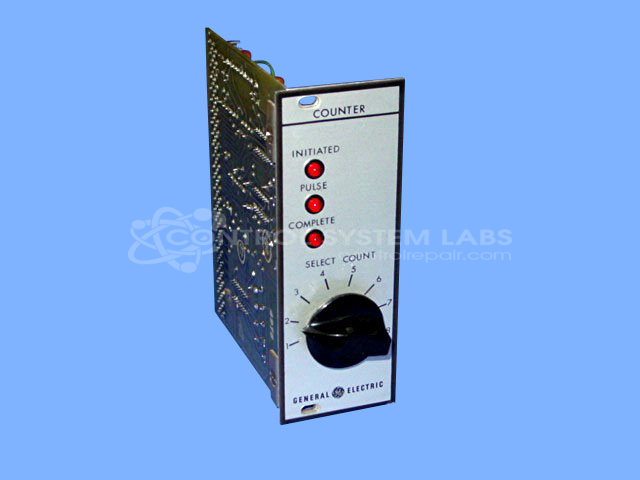
Product Overview: The ejector counter is a plastic processing machine control card that tracks and counts parts or cycles, triggering ejection functions in injection molding and plastics production equipment. It features selectable count ranges via a rotary knob, pulse and status LED indicators, and I/O connectors for machine integration.
Category: Counters
Manufacturer: General Electric
Manufacturer Synonyms: GE
Manufacturer Part Number: IC3622GDCB1A
Series: PM1000 Plastic Processing Machine Ctrls.
Also Known As(AKA): GDCB1A
Common Failures
This product commonly experienced failures involving integrated circuits, indicator components, and other electronic parts such as capacitors. Symptoms included component failure, electrical shorts, and mechanical issues such as bent pins or loose hardware.
Repair Approach
The typical repair process involved replacing defective components, resoldering connections, cleaning the unit, and verifying functionality through testing. Repairs also included addressing mechanical connections and solder joint integrity where needed.
Testing & Quality
Post-repair testing included operational checks across functional ranges and extended run-time verification to confirm reliability. Units were inspected for solder joint integrity and electrical output performance. Quality control procedures were applied to help ensure proper operation before return to service.
Service and repair your broken General Electric part
We can repair your General Electric model IC3622GDCB1A in our facility. Let our skilled technicians get your General Electric back in operation quickly.
Step 1 - Click the green 'Repair Now' button above to add the part and then complete the RMA.
Step 2 - The RMA form will be sent to you via email. Print the RMA form and put it in a box with the item(s) for repair.
Step 3 - Ship or mail the box to the address listed on the RMA.
Once the user has seen at least one product this snippet will be visible.