




Repair
Repair Price: $ 2,804.00
Purchase
CSL Part Number: 87873
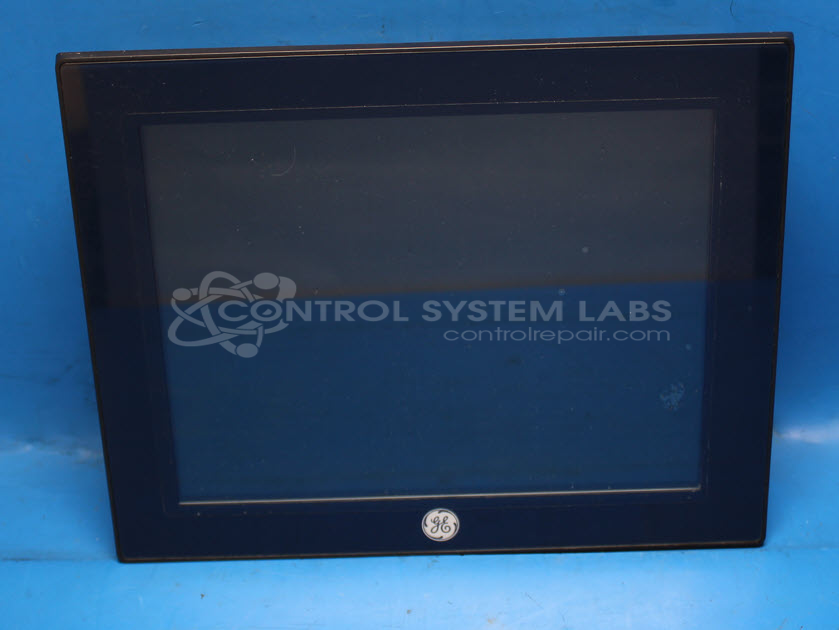
Product Overview: A 12-inch color touchscreen operator interface panel (HMI) used for monitoring and controlling industrial machinery and automation processes. Powered by 24V DC input, it features an onboard processor, backup battery for time/date retention, and an accurate resistive touchscreen for visualizing and managing equipment operations.
Category: Operator & Control Panels
Manufacturer: General Electric
Manufacturer Synonyms: GE
Manufacturer Part Number: IC755CSS12CDB-BM
Common Failures
Units may experience issues where they do not power up when the 24V input is applied. This can be related to components within the power supply or processor connections. Another observed issue is inaccurate retention of time and date when power is removed, though this is not caused by the backup battery.
Repair Approach
Repairs typically involve evaluation and replacement of electrolytic capacitors within the power supply and main board as a preventative measure. Intermittent power-up failures are addressed through thorough power output testing to verify stable operation. Specific repairs for processor-related issues vary based on the findings during evaluation and may require component replacement.
Testing & Quality
Units undergo extensive testing, including overnight power cycling with specified voltage inputs to verify display and touchscreen functionality. Testing is conducted to confirm that repaired units operate as expected.
Repair your broken General Electric part
We can repair your General Electric model IC755CSS12CDB-BM .
Please note: our repair turnaround time may be longer than our standard lead times for this item.
Step 1 -
Click the green button above, "Repair Now," and add to your RMA.
Step 2 -
Print the RMA form that is emailed to you, and put it in a box with the parts for repair.
Step 3 -
Mail the box to the address on the RMA.
You will be sent an authorization for repair via email. Your approval is needed before any work is started.
Once the user has seen at least one product this snippet will be visible.