




Repair
Repair Price: $ 472.00
Purchase
CSL Part Number: 7291
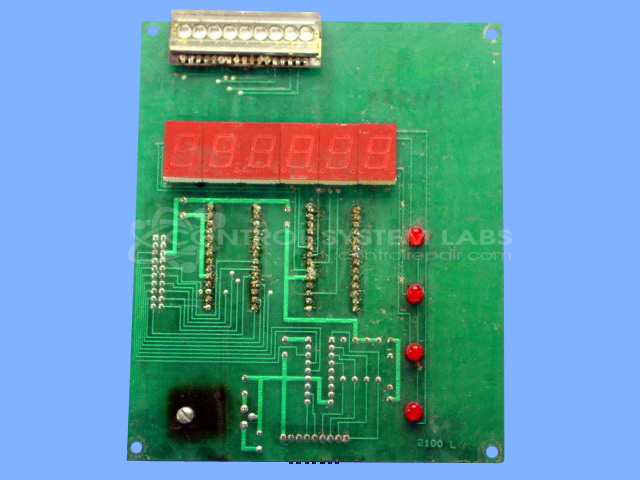
Product Overview: The display read-out board for a batch controller, it provides the numeric LED/crystal digit readout and keypad interface for monitoring and programming batch processing operations in oil and fluid batching equipment. Features multi-digit display drivers (ICM7218A/B), a 74C922 keypad encoder, and onboard 5V regulation.
Category: Control Board
Manufacturer: General Oil & Equipment Co.
Manufacturer Part Number: 2100-L
Also Known As(AKA): FRONTIER MICRO CNTRL
Common Failures
Frequent issues encountered with this product involve display and keypad malfunctions, often attributed to component failures and environmental factors. Specific problems include display issues, keypad concerns, and missing display segments. Corrosion has been observed in some cases, affecting various components and leading to operational failures.
Repair Approach
Repairs typically include the removal and replacement of faulty components such as display chips, driver chips, and keypad encoders. In cases of corrosion, thorough cleaning and resoldering are performed. Heat management solutions may be applied when appropriate. Standard procedures include verifying DC supply and testing to evaluate stability.
Testing & Quality
After repairs, products undergo testing, including operation verification with test fixtures and running periods as needed. These processes help evaluate whether issues have been addressed and that products operate as expected. Any remaining conditions are assessed in the context of software and hardware interactions to determine if additional work is required.
Service and repair your broken General Oil & Equipment Co. part
We can repair your General Oil & Equipment Co. model 2100-L in our facility. Let our skilled technicians get your General Oil & Equipment Co. back in operation quickly.
Step 1 - Click the green 'Repair Now' button above to add the part and then complete the RMA.
Step 2 - The RMA form will be sent to you via email. Print the RMA form and put it in a box with the item(s) for repair.
Step 3 - Ship or mail the box to the address listed on the RMA.
Once the user has seen at least one product this snippet will be visible.