



Repair
Call for price
Purchase
CSL Part Number: 114413
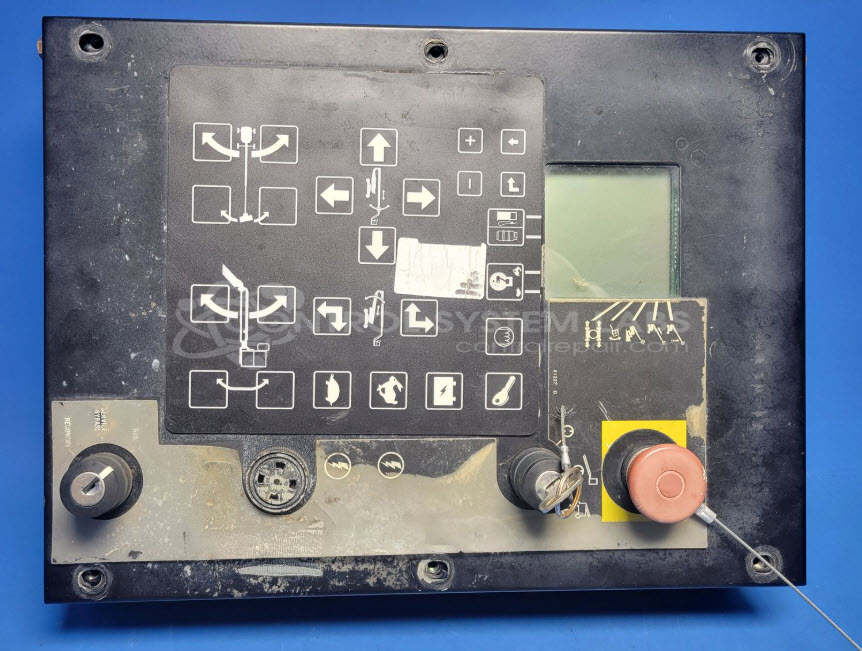
Product Overview: The Genie Industries 11011471 Turntable Control Box is an interface operator panel used in Genie S125 boom lifts and similar models. It provides control and display functions for the turntable mechanism, allowing operators to manage boom rotation and positioning. The unit features a front panel with integrated display and utilizes surface-mount connectors for internal wiring. Common applications include aerial work platforms requiring precise turntable control in construction, maintenance, and industrial access operations.
Category: Interface Operator Panel
Manufacturer: Genie Industries
Manufacturer Synonyms: JSD
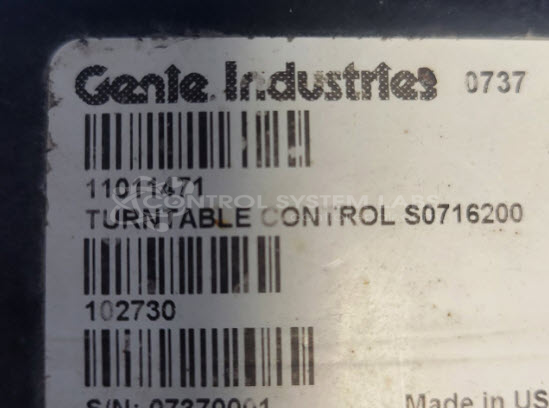
Manufacturer Part Number: 11011471
Turntable Control Box used in Genie S125 boom lifts and other similar models
Common Failures
Units received for evaluation have exhibited issues including a surface mount connector detached from the board, which can affect the display function. Units have also been received with missing screws on the front panel.
Repair Approach
When a detached connector is identified, the connector is resoldered and any damaged traces on the board are repaired as needed. Fasteners may be used to secure the connector. A conformal coating is applied to protect the base of the connector and repaired areas. In some cases, the moisture absorption pad inside the unit may be replaced.
Testing & Quality
Repairs are verified through component-level testing to confirm functionality. Inspections and repairs are documented, and testing confirms that no additional issues are present following the repairs.
Service and repair your broken Genie Industries part
We can repair your Genie Industries model 11011471 in our facility. Let our skilled technicians get your Genie Industries back in operation quickly.
Step 1 - Click the green 'Repair Now' button above to add the part and then complete the RMA.
Step 2 - The RMA form will be sent to you via email. Print the RMA form and put it in a box with the item(s) for repair.
Step 3 - Ship or mail the box to the address listed on the RMA.
Once the user has seen at least one product this snippet will be visible.