




Repair
Repair Price: $ 1,990.00
Purchase
CSL Part Number: 122086
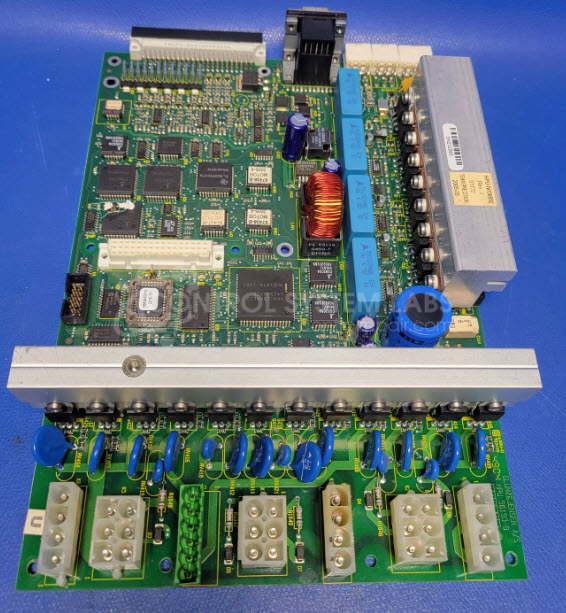
Product Overview: The Heater Control Board (GCB05) is a power control module manufactured by Glunz & Jensen A/S for regulating heating elements in industrial processing equipment. It uses triac-based switching to control heater outputs and incorporates relay-driven circuits for temperature management. This board is commonly found in Glunz & Jensen plate processing systems where precise thermal control is critical. The design includes multiple output stages, each controlled by dedicated triacs and optocouplers, with protective components including fuses and MOVs. Alternative part numbers include VIC-2, GI9915, NR0083, and 16423C.
Category: Power Controls
Manufacturer: Glunz & Jensen A/S
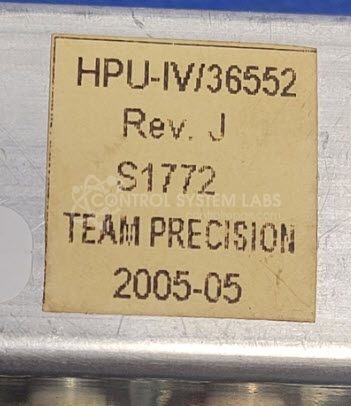
Manufacturer Part Number: HPU-IV/36552
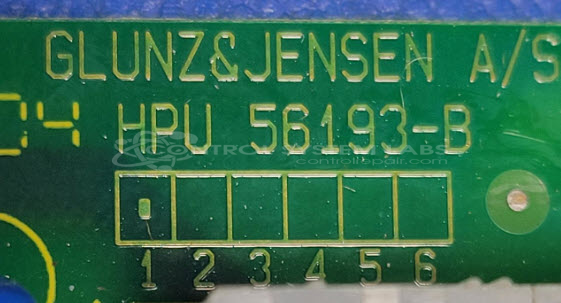
Also Known As(AKA): HPU 56193-B
Please send in wiring diagrams and provide a good problem description
Common Failures
A frequently observed issue with this product is the failure of the heater board, which can result in non-functional heating. The primary cause is typically a defective triac component. In some cases, issues have also arisen from a non-operational relay and poorly soldered connections.
Repair Approach
The repair process often includes replacing the defective triac, checking the optocoupler for damage, inspecting all fuses, and resoldering any poorly done joints. Occasionally, relays require testing and verification, potentially needing replacement if found to be defective.
Testing & Quality
Repairs undergo a thorough diagnostic process, including component checks and limited power-up tests to verify the integrity of repairs. Testing can identify other defective parts contributing to the reported symptoms. However, comprehensive system testing is limited due to fixture development requirements.
Service and repair your broken Glunz & Jensen A/S part
We can repair your Glunz & Jensen A/S model HPU-IV/36552 in our facility. Let our skilled technicians get your Glunz & Jensen A/S back in operation quickly.
Step 1 - Click the green 'Repair Now' button above to add the part and then complete the RMA.
Step 2 - The RMA form will be sent to you via email. Print the RMA form and put it in a box with the item(s) for repair.
Step 3 - Ship or mail the box to the address listed on the RMA.
Once the user has seen at least one product this snippet will be visible.