


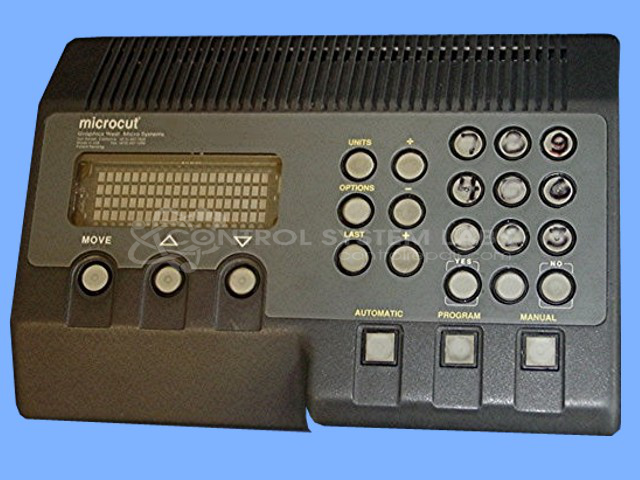


Repair
Repair Price: $ 1,828.00
Purchase
CSL Part Number: 71422
Product Overview: Operator control screen for programmable paper cutting machines used in print finishing and bindery operations. It manages cut programming, calibration, and positioning via a numeric keypad with ten key switches. Built around an 80535 microprocessor with EPROM and battery-backed RAM for program retention.
Category: Operator & Control Panels
Manufacturer: Graphics West Microsystems
Manufacturer Part Number: SCR STANDARD
Common Failures
Units may experience issues such as screen darkening, failure to power up, erratic operation, spontaneous shutdowns, failure to start, and issues with program retention and calibration. These symptoms can be attributable to component-level faults that our team can evaluate.
Repair Approach
Once a unit is received and evaluated, repairs may involve component-level work to restore power supply functionality and ensure proper thermal management. Repaired units undergo power-on testing and extended burn-in periods to confirm functionality before return.
Limitations
Not all units can be economically repaired. Some units may be returned without repair if they are determined to be Beyond Economic Repair or if warranty coverage does not apply. We will provide a quotation and evaluation findings before proceeding with any chargeable work.
Limited Repair
The Graphics West Microsystems part number is only available as a limited repair at our facility. Repairs to this item may be limited due to several reasons:
- Availability of parts
- Less than 100% test ability due to required support equipment
To have us attempt a repair on your Graphics West Microsystems part follow these steps:
Step 1 -
Click the Repair Now button above to add the part and complete the RMA form.
Step 2 -
Print the RMA form that is sent to your email, and put it in the box with the parts for repair.
Step 3 -
Mail the box to the address on the RMA.
After we receive your item, we will perform an inspection and an authorization to repair will be sent for your approval. Work will begin after your authorization is received.
Once the user has seen at least one product this snippet will be visible.