


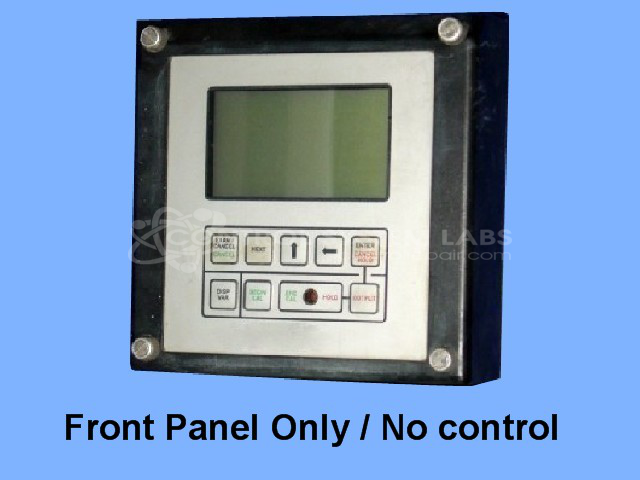


Repair
Repair Price: $ 1,016.00
Purchase
CSL Part Number: 37440
Product Overview: A microprocessor-based transmitter control panel that measures and conditions pH and ORP signals from process probes, providing a local display and 4-20mA analog output with temperature compensation. Used in water treatment and industrial process monitoring to track solution chemistry and drive downstream controls.
Category: Operator & Control Panels
Manufacturer: Great Lakes Instruments
Manufacturer Part Number: 692P/R
Complete control probe and test solution is not needed for this repair.
Common Failures
Frequently reported issues include units not drawing sufficient current to power on, intermittent resets, low analog outputs, inoperative displays due to shock or vibration, and corroded batteries. These problems often required component replacements such as integrated circuits, capacitors, batteries, and display panel adjustments.
Repair Approach
Repairs typically involved replacing faulty components including microprocessors, integrated circuits, and batteries. Cleaning corroded components and realigning dislodged display panels were also common solutions. Calibration was regularly part of the repair process to help ensure accurate performance.
Testing & Quality
Post-repair, units underwent testing which included trial calibration and burn-in procedures lasting up to two hours. These quality checks were performed to address functional discrepancies before the product was returned to the customer.
Service and repair your broken Great Lakes Instruments part
We can repair your Great Lakes Instruments model 692P/R in our facility. Let our skilled technicians get your Great Lakes Instruments back in operation quickly.
Step 1 - Click the green 'Repair Now' button above to add the part and then complete the RMA.
Step 2 - The RMA form will be sent to you via email. Print the RMA form and put it in a box with the item(s) for repair.
Step 3 - Ship or mail the box to the address listed on the RMA.
Once the user has seen at least one product this snippet will be visible.