




Repair
Repair Price: $ 436.00
Purchase
CSL Part Number: 54227
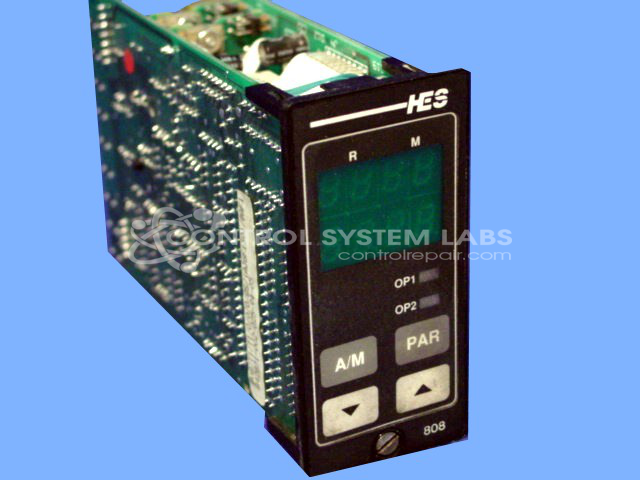
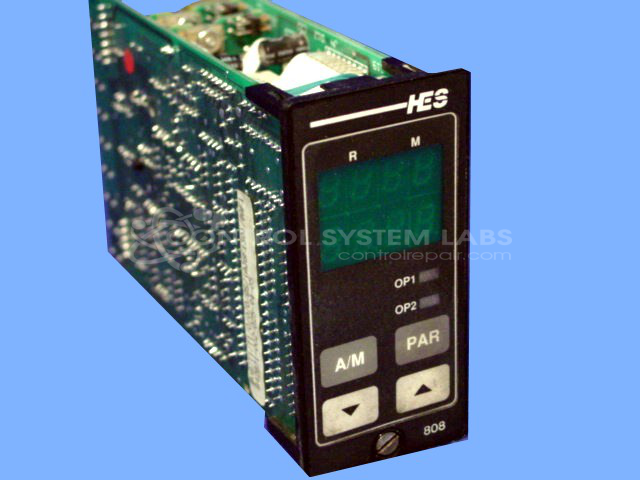
Product Overview: A 1/8 DIN vertical dual display digital temperature controller providing closed-loop PID control of process heating and cooling. It accepts thermocouple inputs (such as type J) and drives triac output modules for primary control and optional secondary output or alarm functions. Used in industrial ovens, furnaces, and process equipment.
Category: Temperature Control
Manufacturer: Hes Electronic Systems
Alternate Manufacturer Names: EUROTHERM
Manufacturer Part Number: 808/T1/0/0/0/0/QS@AE126
Series: 808 and 847 Series Digital Controller
Other Synonyms: EUROTHERM
The Eurotherm 808/847 Series comes in an assortment of configurations. Please submit your device using the exact part number or use this number if the exact number can not be found.
Common Failures
Common issues reported include temperature control concerns, output module functionality, and physical damage to front bezels. Symptoms may include temperature control irregularities, sequence initiation problems, and output circuit concerns.
Repair Approach
Our evaluation process includes inspection of control systems and power supply components. During repair, we may replace components such as triac modules, capacitors, or damaged bezels as needed based on the unit's condition and the scope of work approved.
Testing & Quality
Following repair work, we perform functional testing which may include temperature verification across operating ranges and extended operational testing to confirm proper performance of the repaired unit.
Service and repair your broken Hes Electronic Systems part
We can repair your Hes Electronic Systems model 808/T1/0/0/0/0/QS@AE126 in our facility. Let our skilled technicians get your Hes Electronic Systems back in operation quickly.
Step 1 - Click the green 'Repair Now' button above to add the part and then complete the RMA.
Step 2 - The RMA form will be sent to you via email. Print the RMA form and put it in a box with the item(s) for repair.
Step 3 - Ship or mail the box to the address listed on the RMA.
Once the user has seen at least one product this snippet will be visible.