



Repair
Call for price
Purchase
CSL Part Number: 32966
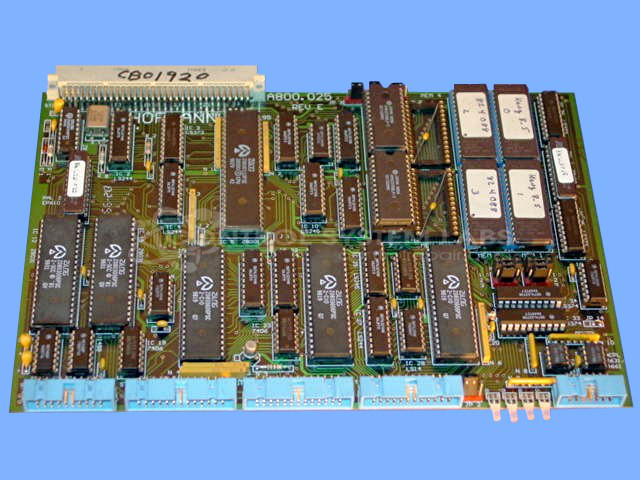
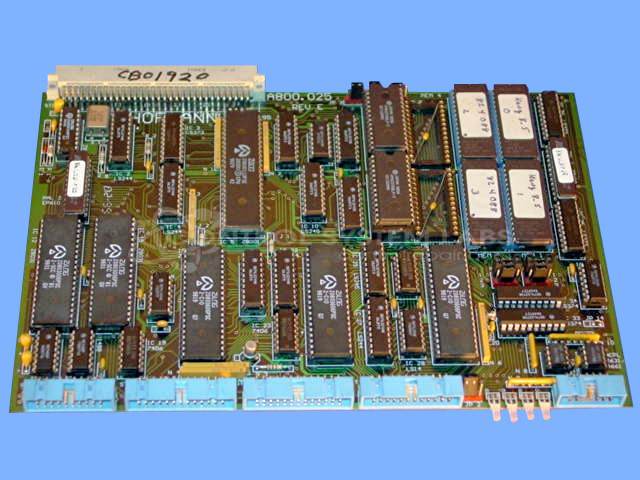
Product Overview: The Hofmann A800.025 is a main CPU board used in paper handling or processing equipment. It generates video signals for CRT-based control displays and features battery-backed non-volatile SRAM for program and parameter storage. The board includes EPROM and flash memory for firmware, operates on 5VDC power supply, and contains multiple TTL logic ICs. It functions as the central controller within a card cage system, coordinating equipment operations and providing operator interface through connected CRT control boards.
Category: Control Board
Manufacturer: Hofmann
Manufacturer Part Number: A800.025
Requires sending in for a repair quote.
Common Failures
Common issues reported include failure to provide a signal to the CRT control board and CRT defects due to external sources. These problems can result in a lack of video output despite digital activity being present.
Repair Approach
Repairs may involve preventative maintenance by replacing non-volatile SRAM components with smart sockets. Diagnostic testing is performed to evaluate proper functioning. RAM modules and other integrated circuits are tested to confirm their integrity, and faulty components are replaced as needed. External sources such as CRT components are also evaluated.
Testing & Quality
Testing procedures include multiple levels of verification. Initial tests confirm digital activity following repair efforts, and additional testing is performed to verify display signals and overall system functionality. Each item is reviewed by CSL technicians to confirm reliability and performance.
Repair your broken Hofmann part
We can repair your Hofmann model A800.025 .
Please note: our repair turnaround time may be longer than our standard lead times for this item.
Step 1 -
Click the green button above, "Repair Now," and add to your RMA.
Step 2 -
Print the RMA form that is emailed to you, and put it in a box with the parts for repair.
Step 3 -
Mail the box to the address on the RMA.
You will be sent an authorization for repair via email. Your approval is needed before any work is started.
Once the user has seen at least one product this snippet will be visible.