



Repair
Repair Price: $ 908.00
Purchase
CSL Part Number: 33475
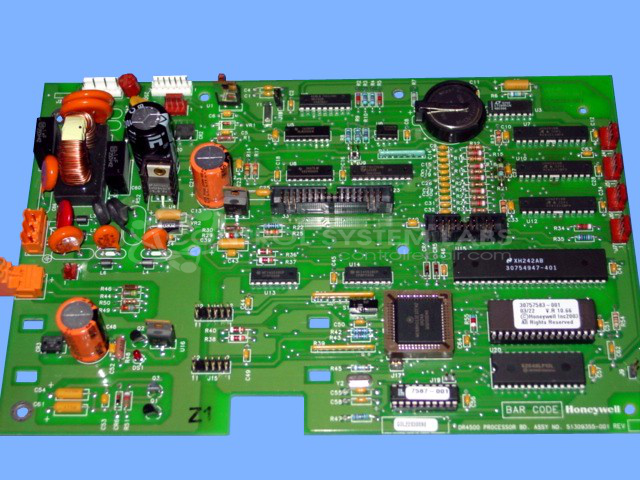
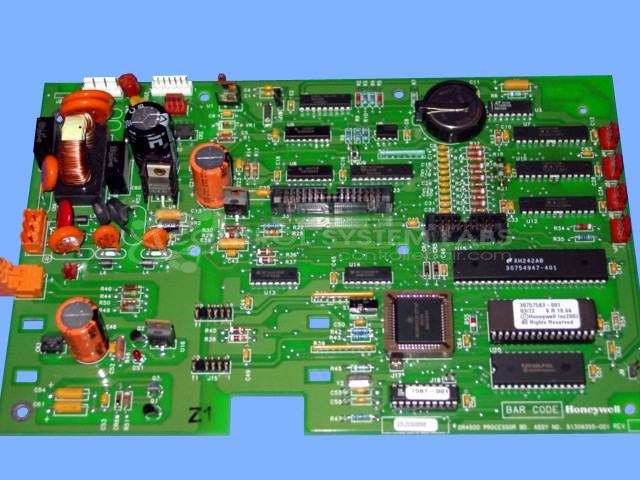
Product Overview: The DR4500 Truline Chart Recorder Processor Board is the main control and signal processing board for Honeywell DR4500 series chart recorders. It manages data acquisition, signal conditioning, and recording functions in industrial continuous monitoring and data logging applications. The board features a battery-backed memory for storing configuration parameters and settings, along with voltage regulation circuitry and input processing for multiple channels. Common applications include temperature, pressure, and flow monitoring in process control environments.
Category: Chart Recorder / Data Logger
Manufacturer: Honeywell
Manufacturer Part Number: 51309355-001
Also Known As(AKA): 51309355-502 P/N
Must include DR4500 Chart Recorder for this repair.
Common Failures
This product may experience failures due to damaged components. Components such as transistors, resistors, voltage regulators, diodes, and capacitors have been replaced during repair. Additionally, missing backup batteries have been observed, which can lead to loss of stored settings on the board.
Repair Approach
The repair process involves a thorough visual inspection followed by the replacement of damaged components on the board. Affected sections are cleaned to ensure integrity. If the memory backup battery is missing, customers may need to replace it to avoid loss of stored parameters.
Customer Advisory
Customers should be aware that if the memory backup battery is missing, any stored settings or parameters may have been lost and will need to be reloaded after battery replacement.
Testing & Quality
After repairs, components undergo testing to verify functionality. This product passed component-level testing to verify successful repair completion.
Service and repair your broken Honeywell part
We can repair your Honeywell model 51309355-001 in our facility. Let our skilled technicians get your Honeywell back in operation quickly.
Step 1 - Click the green 'Repair Now' button above to add the part and then complete the RMA.
Step 2 - The RMA form will be sent to you via email. Print the RMA form and put it in a box with the item(s) for repair.
Step 3 - Ship or mail the box to the address listed on the RMA.
Once the user has seen at least one product this snippet will be visible.