



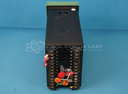
Repair
Repair Price: $ 964.00
Purchase
CSL Part Number: 81108
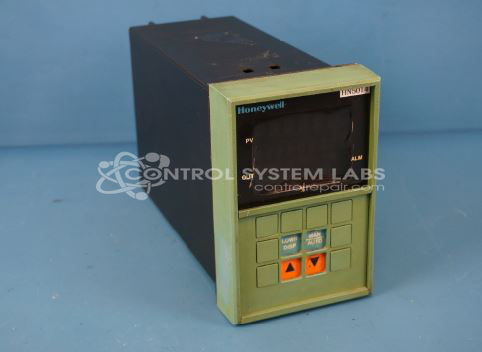
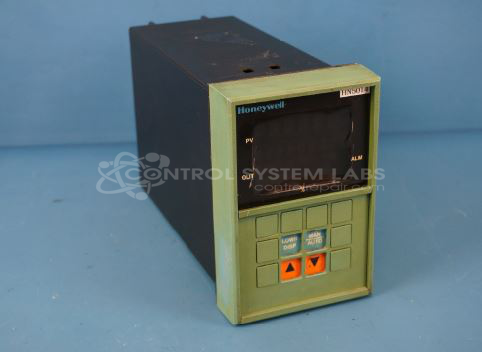
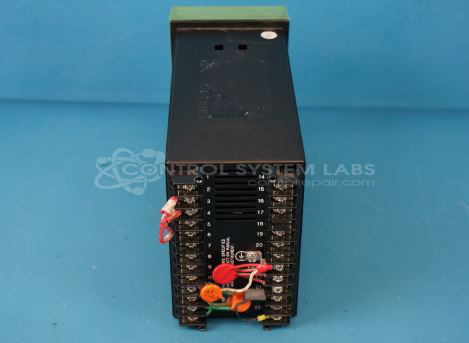
Product Overview: The UDC 5000 Digital Controller is a position proportional or 3-step process controller with motor position indication manufactured by Honeywell. It features dual inputs: Input 1 accepts thermocouple signals, and Input 2 accepts 4-20 mA current signals, making it suitable for temperature and process control applications in industrial environments. Commonly used in paper manufacturing and other process industries, it provides digital control with configurable outputs for precise regulation of industrial equipment and processes.
Category: Operator Interface
Manufacturer: Honeywell
Manufacturer Part Number: DC5066-0-0002-130-00-00000-000-0
Series: UDC 5000 Digital Controller
Brand: UNIVERSAL DIGITAL CONTROLLER
Common Failures
Two main issues have been identified with this product: input failure and defective components. The most common components involved are various types of aluminum electrolytic capacitors, which tend to fail due to age or overheating. Additionally, membrane keypads have been noted as failing during diagnostics.
Repair Approach
Repairs typically involve replacing defective components such as electrolytic capacitors and membrane keypads. Additionally, connections are resoldered as required, and products undergo thorough cleaning. Calibration is verified where applicable.
Testing & Quality
Products are subjected to testing after repairs, including burn-in periods under load. Calibration checks are conducted where applicable to confirm product performance. All repaired units are reviewed by a secondary technician to verify quality and functionality.
Service and repair your broken Honeywell part
We can repair your Honeywell model DC5066-0-0002-130-00-00000-000-0 in our facility. Let our skilled technicians get your Honeywell back in operation quickly.
Step 1 - Click the green 'Repair Now' button above to add the part and then complete the RMA.
Step 2 - The RMA form will be sent to you via email. Print the RMA form and put it in a box with the item(s) for repair.
Step 3 - Ship or mail the box to the address listed on the RMA.
Once the user has seen at least one product this snippet will be visible.