


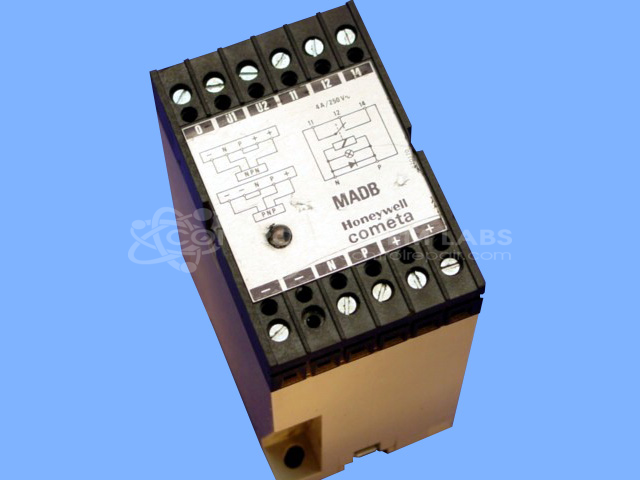


Repair
Repair Price: $ 336.00
Purchase
CSL Part Number: 31618
Product Overview: The Honeywell FF-MADB24RB (also known as MADB) is a 24VDC power supply with an integrated relay output. It provides regulated DC power while offering relay-based switching or signaling capability, commonly used in industrial control and automation systems. The unit features electromechanical relay components for output control and is designed for applications requiring both power conversion and switching functions in process control or instrumentation environments.
Category: Power Supply
Manufacturer: Honeywell
Manufacturer Part Number: FF-MADB24RB
Also Known As(AKA): MADB
Power supplies are tested with a minimum 4-hour burn-in, under load.
Common Failures
This product may experience failures related to components including capacitors, relays, and diodes. These failures can prevent the unit from operating correctly.
Repair Approach
Our standard repair approach involves evaluating the unit to identify faulty components, such as capacitors, relays, and diodes. Once the evaluation is complete, we can provide a quotation before any repair work begins. After approved parts are replaced, the unit is thoroughly tested to confirm functionality.
Testing & Quality
Following repair, the product undergoes thorough testing, including burn-in testing under load, to confirm that it performs as expected. All units must pass our quality checks before being cleared for return to the customer.
Service and repair your broken Honeywell part
We can repair your Honeywell model FF-MADB24RB in our facility. Let our skilled technicians get your Honeywell back in operation quickly.
Step 1 - Click the green 'Repair Now' button above to add the part and then complete the RMA.
Step 2 - The RMA form will be sent to you via email. Print the RMA form and put it in a box with the item(s) for repair.
Step 3 - Ship or mail the box to the address listed on the RMA.
Once the user has seen at least one product this snippet will be visible.