




Repair
Call for price
Purchase
CSL Part Number: 84747
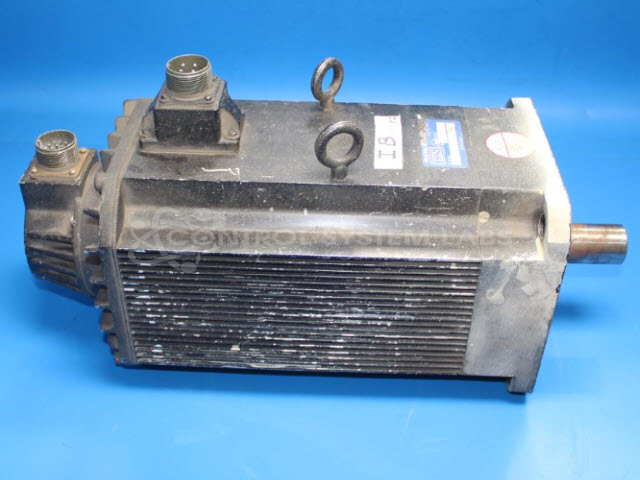
Product Overview: A brushless servo motor with an integrated encoder for closed-loop position and velocity feedback. It drives precise motion in industrial automation, indexing, and motion control systems, interfacing with a dedicated controller through a 17-pin connector for feedback and power.
Category: Motors
Manufacturer: Industrial Indexing Systems
Manufacturer Synonyms: IIS
Manufacturer Part Number: BLM-R3700
Common Failures
One of the most frequent issues reported by customers is that the unit does not start. This problem has sometimes been linked to a broken connector, which may require attention during evaluation and repair.
Repair Approach
In instances where the issue of the unit not starting is verified, it may involve addressing a broken connector. The repair process can include exposing internal components, removing and replacing connections, and ensuring all are properly soldered and insulated. Once repairs are completed, further testing is performed to verify that the unit functions correctly.
Testing & Quality
Each repaired unit undergoes thorough testing to verify motor operation post-repair. If initial verification cannot confirm the customer's reported problem, further investigation is conducted to determine the root cause before proceeding with any necessary repairs. Quality checks are an integral part of the process to help ensure reliability of the repairs.
Service and repair your broken Industrial Indexing Systems part
We can repair your Industrial Indexing Systems model BLM-R3700 in our facility. Let our skilled technicians get your Industrial Indexing Systems back in operation quickly.
Step 1 - Click the green 'Repair Now' button above to add the part and then complete the RMA.
Step 2 - The RMA form will be sent to you via email. Print the RMA form and put it in a box with the item(s) for repair.
Step 3 - Ship or mail the box to the address listed on the RMA.
Once the user has seen at least one product this snippet will be visible.