



Repair
Repair Price: $ 1,894.00
Purchase
CSL Part Number: 109351
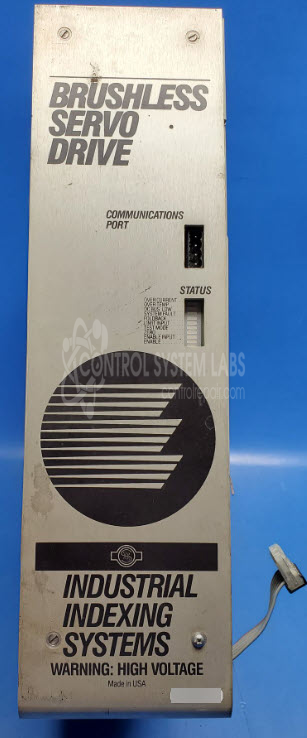
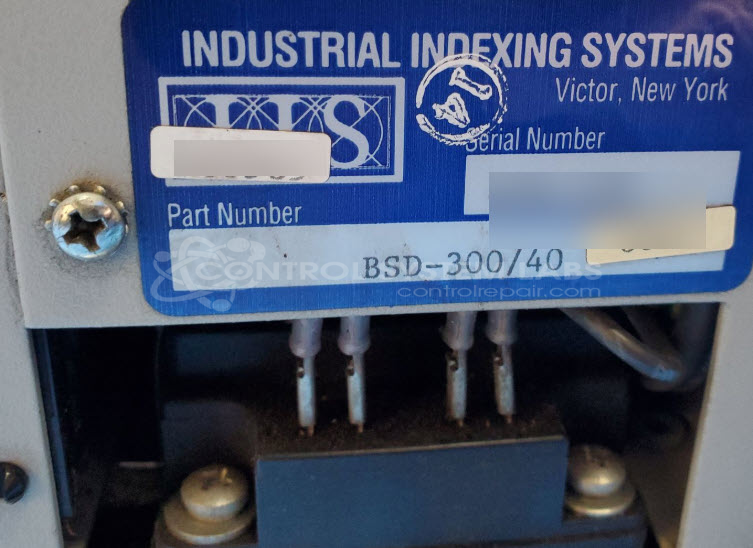
Product Overview: The BSD-300/40 is a brushless servo drive manufactured by Industrial Indexing Systems for controlling brushless servo motors in motion control applications. It features a modular output section with individual power modules per phase and operates on 110VAC cooling with an internal fan. This drive is designed for precision positioning and velocity control in automated machinery and industrial indexing systems. The unit includes diagnostic LEDs for monitoring drive status and fault conditions such as foldback protection.
Category: Servo Controls
Manufacturer: Industrial Indexing Systems
Manufacturer Synonyms: IIS
Manufacturer Part Number: BSD-300/40
Please include any wiring diagrams and a clear pic of the motor tag that is used with this
Common Failures
This product may experience issues with its cooling fan, which can lead to operational problems such as abnormal noise levels and unstable drive performance. The fan may fail, causing the unit not to operate correctly. Intermittent phase drops and foldback light activation have also been observed.
Repair Approach
We can evaluate the unit to determine if cooling fan replacement or other repairs are needed. Once the unit is received and reviewed, we can provide a quotation before any repair work begins. Additional analysis may be required to address output functionality and drive performance. Thorough evaluation and testing are necessary to identify and resolve potential issues within the device.
Service and repair your broken Industrial Indexing Systems part
We can repair your Industrial Indexing Systems model BSD-300/40 in our facility. Let our skilled technicians get your Industrial Indexing Systems back in operation quickly.
Step 1 - Click the green 'Repair Now' button above to add the part and then complete the RMA.
Step 2 - The RMA form will be sent to you via email. Print the RMA form and put it in a box with the item(s) for repair.
Step 3 - Ship or mail the box to the address listed on the RMA.
Once the user has seen at least one product this snippet will be visible.