




Repair
Repair Price: $ 248.00
Purchase
CSL Part Number: 116847
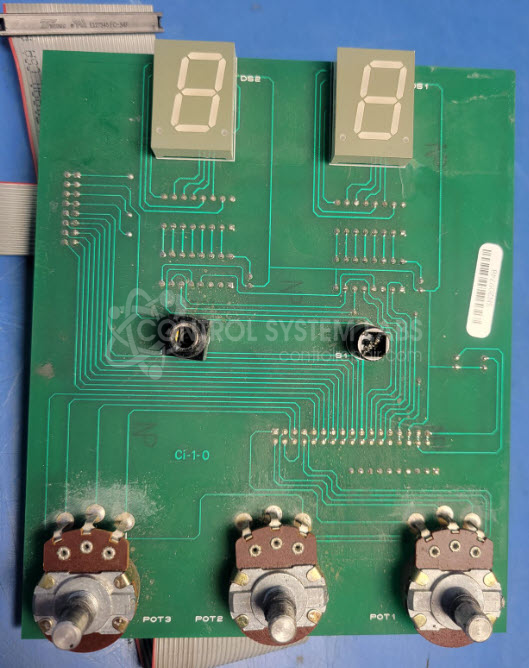
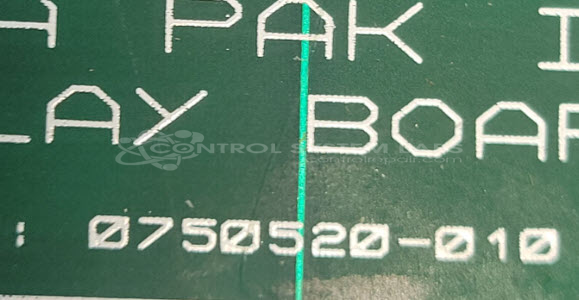
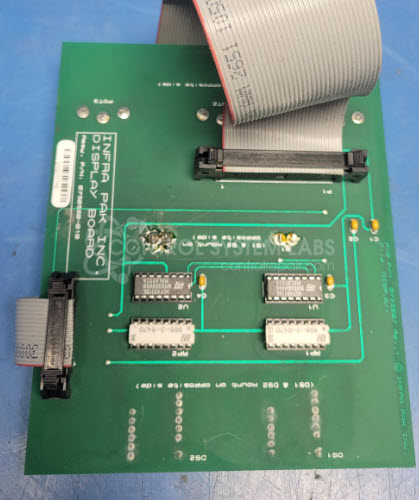
Product Overview: The Infra Pak 0750520-010 is a display board used in operator control panels for paper processing equipment. This board works in conjunction with the 0750400-010 control board system to provide operator interface functionality. It features pushbutton switches that allow operators to adjust parameters such as wrap count settings. The board serves as the human-machine interface component, enabling manual control and parameter adjustment in automated paper handling systems.
Category: Operator & Control Panels
Manufacturer: Infra Pak
Manufacturer Part Number: 0750520-010
Send in with other boards that are connected for testing.
Common Failures
Push button switch failures have been observed in this product line. Symptoms may include switches that do not engage properly or fail to activate expected functions due to component wear or damage.
Repair Approach
The typical repair involves replacing defective push button switches. Conductivity testing is performed after replacement to verify proper function of the repaired components.
Testing & Quality
Following repair, units are tested to confirm that replaced components function as expected. Our repair warranty covers the components that were replaced during the service.
Limited Repair
The Infra Pak part number is only available as a limited repair at our facility. Repairs to this item may be limited due to several reasons:
- Availability of parts
- Less than 100% test ability due to required support equipment
To have us attempt a repair on your Infra Pak part follow these steps:
Step 1 -
Click the Repair Now button above to add the part and complete the RMA form.
Step 2 -
Print the RMA form that is sent to your email, and put it in the box with the parts for repair.
Step 3 -
Mail the box to the address on the RMA.
After we receive your item, we will perform an inspection and an authorization to repair will be sent for your approval. Work will begin after your authorization is received.
Once the user has seen at least one product this snippet will be visible.