




Repair
Repair Price: $ 1,920.00
Purchase
CSL Part Number: 51292
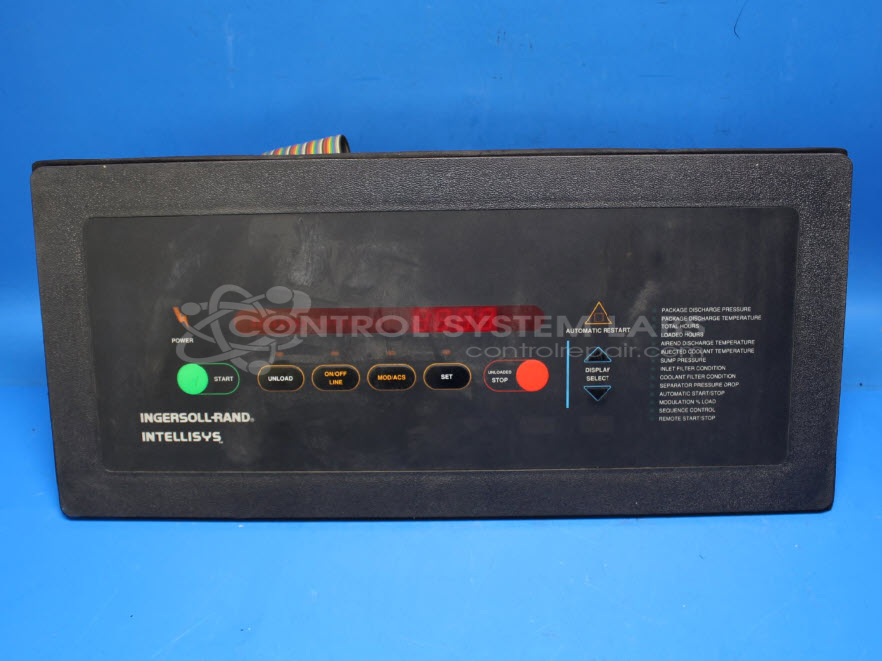
Product Overview: The Ingersoll Rand Intellisys Control Data Plate (part number 39825815) is an operator interface panel for rotary screw air compressors in the 50-450 horsepower range. It provides control and monitoring functions including start/stop commands, system status displays, and operational parameter settings. The unit features a membrane keypad for user input and houses internal electronics including a 5V power regulation circuit. It is commonly found on Ingersoll Rand rotary screw compressor systems where it serves as the primary human-machine interface for compressor operation and diagnostics.
Category: Operator Interface
Manufacturer: Ingersoll Rand
Manufacturer Synonyms: Ingersoll-Rand Company
Manufacturer Part Number: 39825815
Series: Intellisys Compressor Control
Keypad replacement additional.
Common Failures
Common reported symptoms include units that do not start, with no clicking or sound when the compressor should engage. Some units may stop working after initially functioning properly. Additional issues can include sticky keys and cracked or worn membrane edges.
Repair Approach
Repairs may involve replacing defective components such as the membrane keypad and voltage regulator. Keypads may require replacement when cracking or other physical damage is observed. The voltage regulator can be a source of failure and may need replacement to restore proper operation. Once the unit is received and reviewed, we can provide a quotation before any repair work begins.
Testing & Quality
Repaired units undergo testing, which may include burn-in tests under load conditions, to evaluate stability and performance. All units are subject to quality checks before being returned to the customer.
Service and repair your broken Ingersoll Rand part
We can repair your Ingersoll Rand model 39825815 in our facility. Let our skilled technicians get your Ingersoll Rand back in operation quickly.
Step 1 - Click the green 'Repair Now' button above to add the part and then complete the RMA.
Step 2 - The RMA form will be sent to you via email. Print the RMA form and put it in a box with the item(s) for repair.
Step 3 - Ship or mail the box to the address listed on the RMA.
Once the user has seen at least one product this snippet will be visible.
![[103797] Intellisys Membrane Keypad Ingersol Rand 39825815](/web/image/product.product/845384/image_128/%5B103797%5D%20Intellisys%20Membrane%20Keypad%20Ingersol%20Rand%2039825815?unique=562fd6a)