



Repair
Repair Price: $ 640.00
Purchase
CSL Part Number: 35035
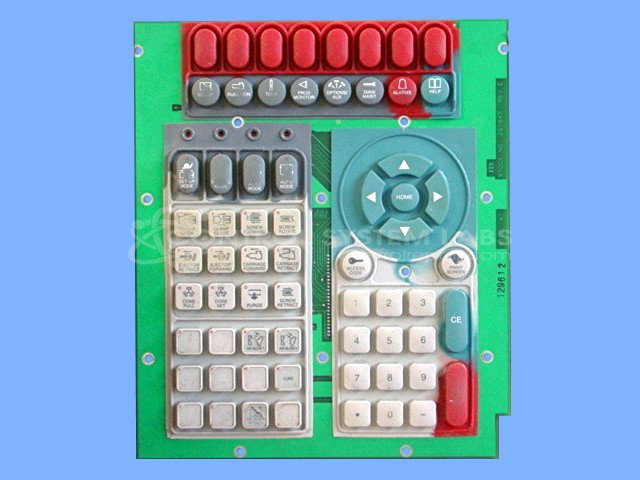
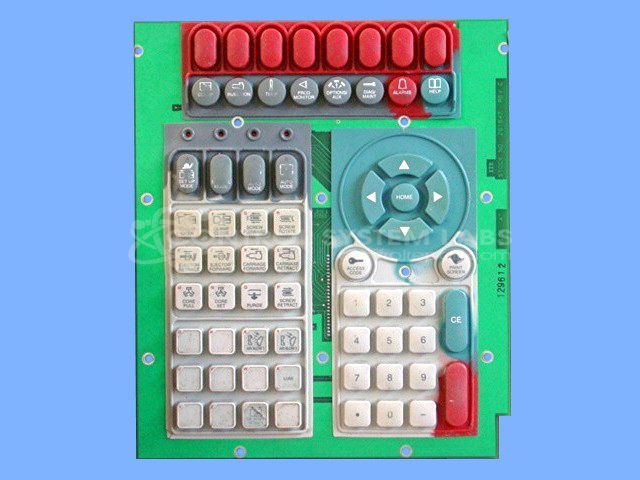
Product Overview: The ITT 251547 is a keyboard assembly designed for Van Dorn Pathfinder operator stations used in industrial paper machinery control systems. This control panel features multiple push-button switches in 18mm and 20mm square configurations with five-contact construction for reliable machine operation. It serves as the primary human-machine interface for Van Dorn (Demag) paper processing equipment, allowing operators to input commands and control production processes. The assembly integrates tactile buttons that communicate with the Pathfinder control system to manage various machine functions.
Category: Operator & Control Panels
Manufacturer: ITT
Alternate Manufacturer Names: Van Dorn
Manufacturer Part Number: 251547
Series: Pathfinder Operator Station
Also Known As(AKA): 33001240
Other Synonyms: Van Dorn
Repair price is for contact repair. Torn membrane replacement to be quoted after evaluation.
Common Failures
Some units experience issues with buttons being hard to push, which may be caused by defective button pads. This is a problem that can affect the usability of the product's interface.
Repair Approach
Repairs typically involve diagnosing and replacing defective button pads. A button repair kit may be used to address various sizes and configurations of the buttons.
Testing & Quality
Post-repair testing includes procedures to verify button functionality. Testing may involve different levels to assess the reliability and functionality of the buttons. Each unit undergoes testing before return to the customer.
Service and repair your broken ITT part
We can repair your ITT model 251547 in our facility. Let our skilled technicians get your ITT back in operation quickly.
Step 1 - Click the green 'Repair Now' button above to add the part and then complete the RMA.
Step 2 - The RMA form will be sent to you via email. Print the RMA form and put it in a box with the item(s) for repair.
Step 3 - Ship or mail the box to the address listed on the RMA.
Once the user has seen at least one product this snippet will be visible.