



Repair
Call for price
Purchase
CSL Part Number: 102880
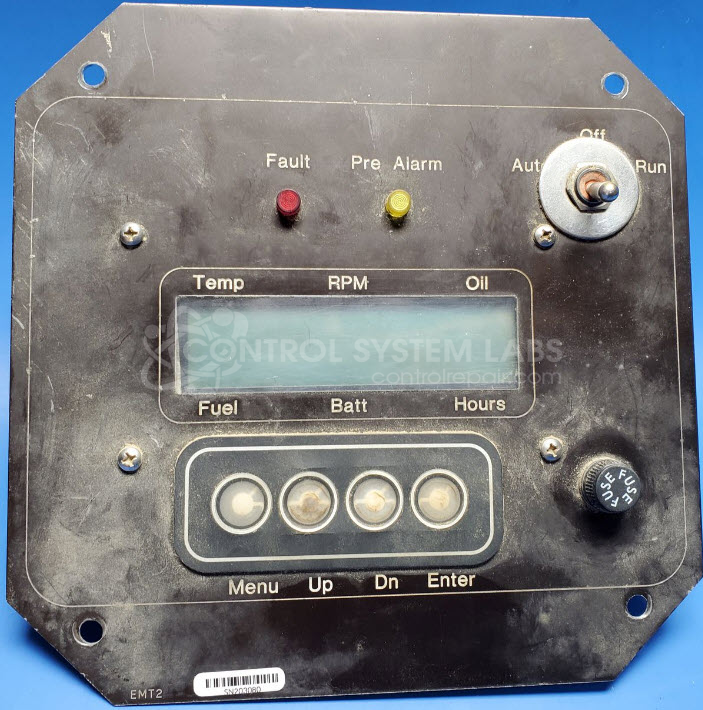
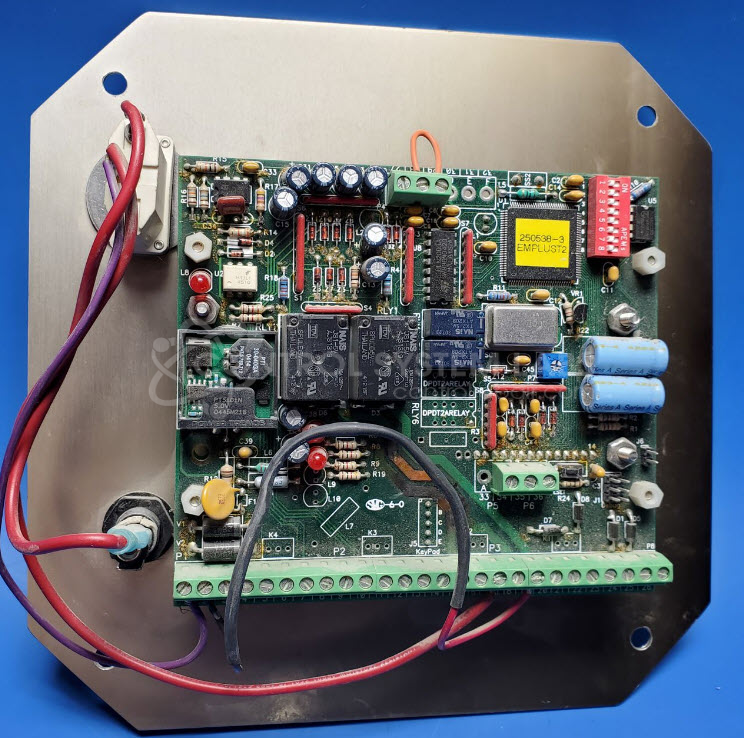
Product Overview: The Engine Control Panel (EMT2) by JCI/Controls Incorporated is a microprocessor-based operator interface panel designed to control engine startup sequences and RPM management in mobile crushing equipment. It features a membrane keypad with display screen for menu navigation and engine cranking control. The panel provides start/stop functions and operational parameter monitoring for diesel engines in crusher applications. Key components include electrolytic capacitors, control relays, and a central processing unit that manages the cranking sequence and engine control logic.
Category: Operator & Control Panels
Manufacturer: JCI
Alternate Manufacturer Names: Johnson Crushers International
Manufacturer Part Number: EMT2
Other Synonyms: Johnson Crushers International
Please include machine serial number when sending in for repairs.
Common Failures
Common symptoms reported include the display showing squares or distorted graphics and the panel not responding to commands for engine start-up or main menu functions.
Repair Approach
Repairs may involve replacing defective capacitors, repairing damaged circuit board traces, or applying protective measures to membrane switch areas. Preventive maintenance on electrolytic capacitors may also be performed when appropriate.
Testing & Quality
Testing includes power-up evaluation and inspection of components such as relays, diodes, and keypads. Due to limited documentation, test protocols focus on available functional checks. In some cases, evaluation may result in No Fault Detected (NFD). Warranty coverage applies to components replaced during the repair, consistent with CSL warranty policy.
Limited Repair
The JCI part number is only available as a limited repair at our facility. Repairs to this item may be limited due to several reasons:
- Availability of parts
- Less than 100% test ability due to required support equipment
To have us attempt a repair on your JCI part follow these steps:
Step 1 -
Click the Repair Now button above to add the part and complete the RMA form.
Step 2 -
Print the RMA form that is sent to your email, and put it in the box with the parts for repair.
Step 3 -
Mail the box to the address on the RMA.
After we receive your item, we will perform an inspection and an authorization to repair will be sent for your approval. Work will begin after your authorization is received.
Once the user has seen at least one product this snippet will be visible.