




Repair
Call for price
Purchase
CSL Part Number: 42666
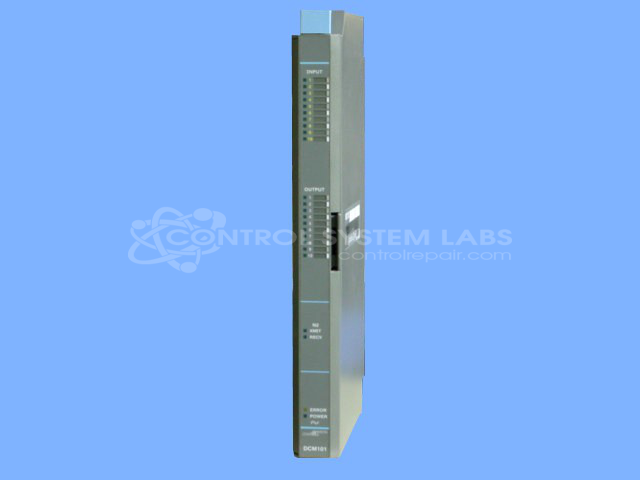
Product Overview: A digital control module used within building automation systems to manage HVAC and environmental control functions. It processes digital inputs and outputs for equipment such as chillers, air handlers, and distributed control networks, serving as a node in a larger facility management architecture.
Category: Control Module
Manufacturer: Johnson Controls
Manufacturer Part Number: NU-DCM101-0 REV G
This repair is a 4-5 week lead time / requires sending here for repair quote.
Common Failures
Units in this category may exhibit symptoms including calibration drift and physical component wear, such as damaged covers or doors. Some units require evaluation by the original equipment manufacturer or an authorized service center to determine the specific failure mode.
Repair Approach
The repair process typically involves coordination with the original equipment manufacturer or an authorized service provider for evaluation, recalibration, and any necessary updates or revisions. Physical components such as covers and doors may be replaced as needed. Once returned to CSL, the unit undergoes comprehensive functional and diagnostic testing, followed by an extended burn-in procedure to verify performance and stability.
Testing & Quality
Following repair, all units are subject to thorough testing to confirm they meet operational specifications. This includes diagnostic checks and a full system burn-in to evaluate reliability before the unit is returned to the customer.
Repair your broken Johnson Controls part
We can repair your Johnson Controls model NU-DCM101-0 REV G .
Please note: our repair turnaround time may be longer than our standard lead times for this item.
Step 1 -
Click the green button above, "Repair Now," and add to your RMA.
Step 2 -
Print the RMA form that is emailed to you, and put it in a box with the parts for repair.
Step 3 -
Mail the box to the address on the RMA.
You will be sent an authorization for repair via email. Your approval is needed before any work is started.
Once the user has seen at least one product this snippet will be visible.