




Repair
Repair Price: $ 816.00
Purchase
CSL Part Number: 26435
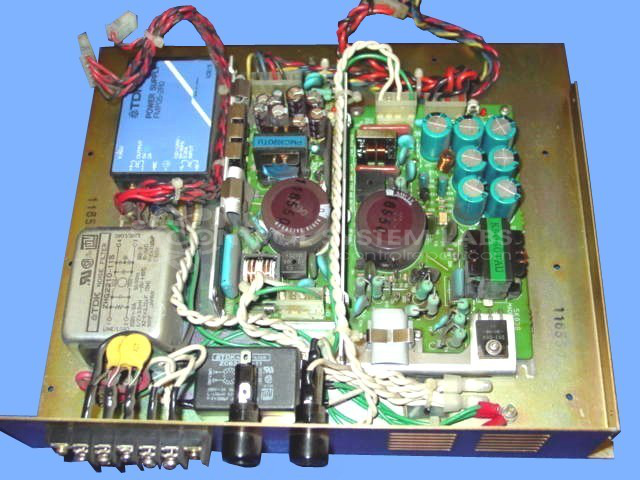
Product Overview: A multi-output switching power supply module providing regulated +5V, -5V, +15V, and -15V rails with status LED indication. It powers CPU boards, pump controls, and related machine electronics in industrial paper-processing systems, distributing low-voltage DC to control circuitry.
Category: Power Supply
Manufacturer: JSW
Manufacturer Synonyms: The Japan Steel Works
Manufacturer Part Number: PACS-3000II
Also Known As(AKA): A4856 - NEW P/N ?
Power supplies are tested with a minimum 4-hour burn-in, under load.
Common Failures
Several common issues have been noted in the repair history of this product, including voltage supply failures, cold solder joints, and leaking capacitors. Symptoms reported by customers include no voltage output, no 5-volt output, pump failures to start, power interruptions, and evidence of component damage. The causes identified during repairs often include defective capacitors and cold solder joints.
Repair Approach
Repairs typically involve replacing faulty components such as electrolytic capacitors and power supplies. For issues related to solder joints, reflowing is conducted to restore proper connections. Comprehensive testing is employed to verify functionality, including verification of output voltages and operation under load conditions.
Testing & Quality
Post-repair testing includes running the units under load for several hours and checking the outputs with multimeters and oscilloscopes to verify proper operation. This thorough testing process is conducted to verify that repaired units operate as expected.
Service and repair your broken JSW part
We can repair your JSW model PACS-3000II in our facility. Let our skilled technicians get your JSW back in operation quickly.
Step 1 - Click the green 'Repair Now' button above to add the part and then complete the RMA.
Step 2 - The RMA form will be sent to you via email. Print the RMA form and put it in a box with the item(s) for repair.
Step 3 - Ship or mail the box to the address listed on the RMA.
Once the user has seen at least one product this snippet will be visible.