




Repair
Repair Price: $ 2,240.00
Purchase
CSL Part Number: 80806
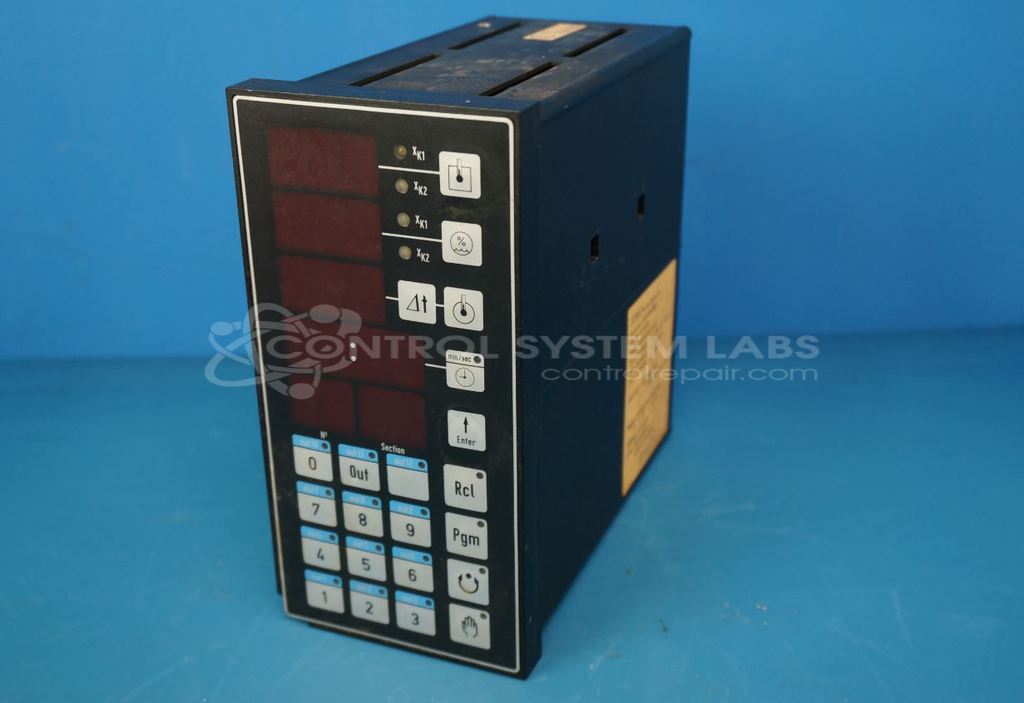
Product Overview: A programmable temperature and process controller module with keypad and display for monitoring and regulating temperature and humidity. Commonly used in food smokehouse control systems, it features battery-backed program memory and multiple input/output channels for managing heating circuits and process sensors.
Category: Control Card Or Module
Manufacturer: Jumo Process Control Inc.
Manufacturer Part Number: KPF-92/31-31-12
Also Known As(AKA): 95.700FRI
Common Failures
Customers often report issues such as loss of memory when power is removed, problems with display and input after electrical events, and miscellaneous power-up problems. These symptoms are often linked to issues with backup batteries and internal components such as capacitors and wire harness connections. In several cases, incorrect display behaviors and non-responsive units have been observed, particularly after power fluctuations.
Repair Approach
Repairs typically involve replacing defective components like backup batteries, electrolytic capacitors, and broken wire harness connectors. Specific issues such as display and keypad malfunctions are addressed by verifying and repairing these components. Units are also frequently reprogrammed following component replacement to restore functionality.
Testing & Quality
Post-repair testing includes verification of displays and keypads, programming accuracy, and electrical testing at various voltage levels. Ensuring stable operation across a range of conditions is integral to the repair verification process. Quality checks are conducted to confirm that the unit is fully operational before returning it to the customer.
Service and repair your broken Jumo Process Control Inc. part
We can repair your Jumo Process Control Inc. model KPF-92/31-31-12 in our facility. Let our skilled technicians get your Jumo Process Control Inc. back in operation quickly.
Step 1 - Click the green 'Repair Now' button above to add the part and then complete the RMA.
Step 2 - The RMA form will be sent to you via email. Print the RMA form and put it in a box with the item(s) for repair.
Step 3 - Ship or mail the box to the address listed on the RMA.
Once the user has seen at least one product this snippet will be visible.