



Repair
Repair Price: $ 340.00
Purchase
CSL Part Number: 1981
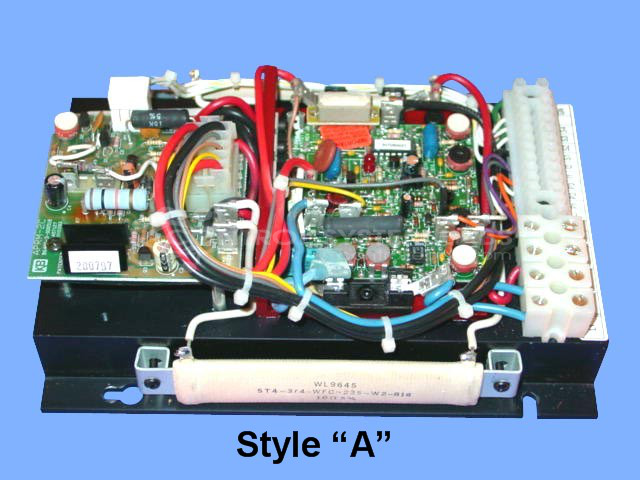
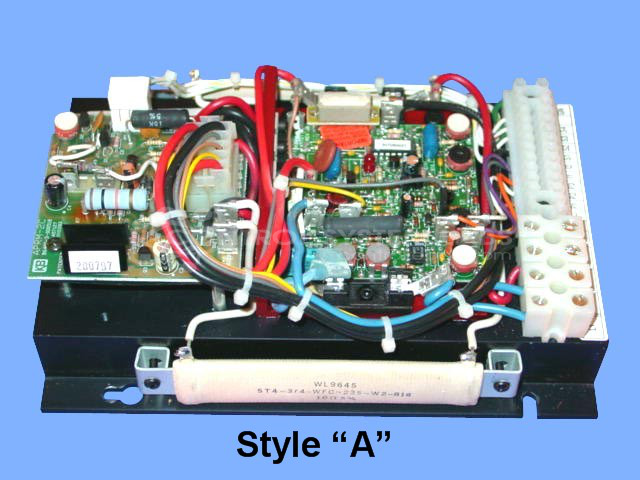
Product Overview: The KBCC-125R is a variable speed DC drive with integrated reverse module manufactured by KB Electronics. It controls DC motor speed and direction in industrial applications requiring bidirectional operation. Part of the KBCC series, it provides 0-90 volt output for precise motor control. Common applications include conveyor systems, packaging equipment, and material handling machinery where variable speed and reversing capability are needed. The unit regulates motor performance through electronic speed control and includes built-in reversing functionality without requiring external contactors.
Category: DC Motor Controls
Manufacturer: KB Electronics
Manufacturer Synonyms: NIDEC
Manufacturer Part Number: KBCC-125R
Series: KBCC DC Drive
Common Failures
Occasional overheating has been observed in some units. A comprehensive evaluation is required to determine the specific cause and whether repair is necessary.
Repair Approach
Initial evaluation begins with cleaning and thorough testing to isolate the overheating issue. Calibration is confirmed to ensure output meets specified voltage ranges. If overheating persists, targeted repairs may be recommended based on test results.
Testing & Quality
Units undergo a rigorous burn-in test with a load, operating the motor for an extended period of four hours to verify stability under typical operating conditions. Successful tests may result in a No Fault Detected outcome.
Service and repair your broken KB Electronics part
We can repair your KB Electronics model KBCC-125R in our facility. Let our skilled technicians get your KB Electronics back in operation quickly.
Step 1 - Click the green 'Repair Now' button above to add the part and then complete the RMA.
Step 2 - The RMA form will be sent to you via email. Print the RMA form and put it in a box with the item(s) for repair.
Step 3 - Ship or mail the box to the address listed on the RMA.
Once the user has seen at least one product this snippet will be visible.