


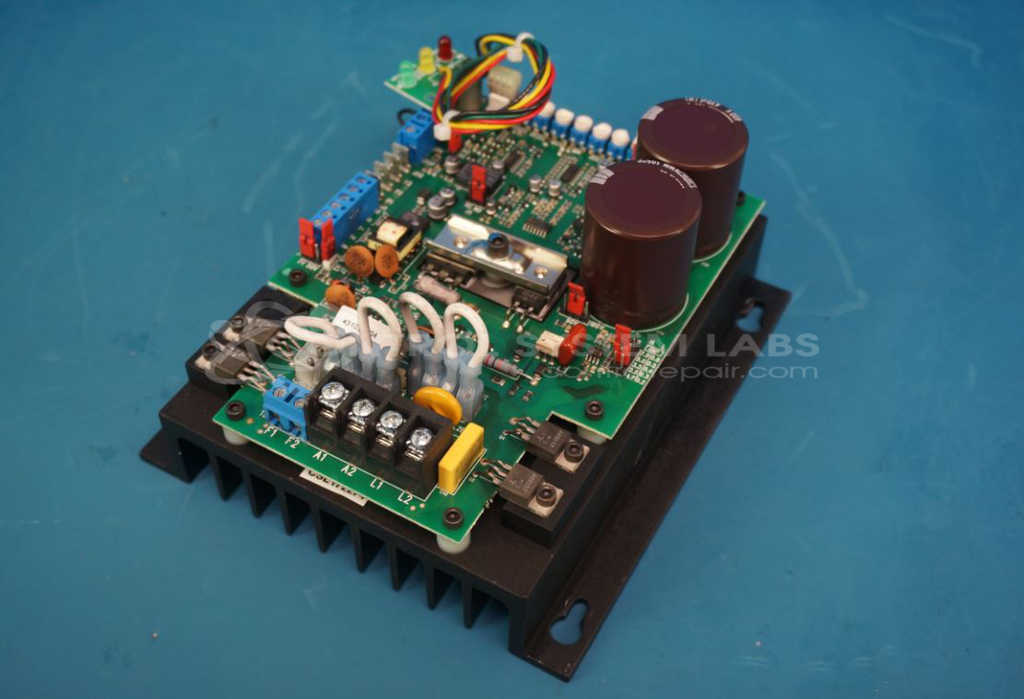


Repair
Repair Price: $ 516.00
Purchase
CSL Part Number: 82096
Product Overview: The KB Electronics KBCW-240D is a DC motor speed control designed to regulate the speed and operation of DC motors in industrial applications. It provides 7.5 amps DC output and is commonly used in paper manufacturing equipment and similar process machinery. The drive features adjustable speed control via potentiometers and accepts standard AC input power, converting it to regulated DC output for motor control. Key internal components include bridge rectifiers, fast recovery diodes, and trimmer potentiometers for speed and torque adjustment.
Category: DC Motor Controls
Manufacturer: KB Electronics
Manufacturer Synonyms: NIDEC
Alternate Manufacturer Names: Merrick
Manufacturer Part Number: KBCW-240D
Also Known As(AKA): 4641C, FE13146
Other Synonyms: Merrick
Common Failures
Common issues observed during evaluation include defective components such as bridge rectifiers, diodes, and potentiometers. Specific damage may include failed components, shorted potentiometers, and broken rectifier diodes.
Repair Approach
The repair process typically involves diagnostic testing to identify defective parts. Once identified, defective components are replaced. Potentiometer bases may be sealed to prevent future issues, and thorough cleaning is performed as part of the standard procedure.
Testing & Quality
Repaired units undergo testing, which may include extended burn-in testing under load. Units must pass our testing requirements before being returned to service.
Service and repair your broken KB Electronics part
We can repair your KB Electronics model KBCW-240D in our facility. Let our skilled technicians get your KB Electronics back in operation quickly.
Step 1 - Click the green 'Repair Now' button above to add the part and then complete the RMA.
Step 2 - The RMA form will be sent to you via email. Print the RMA form and put it in a box with the item(s) for repair.
Step 3 - Ship or mail the box to the address listed on the RMA.
Once the user has seen at least one product this snippet will be visible.