




Repair
Repair Price: $ 308.00
Purchase
CSL Part Number: 13910
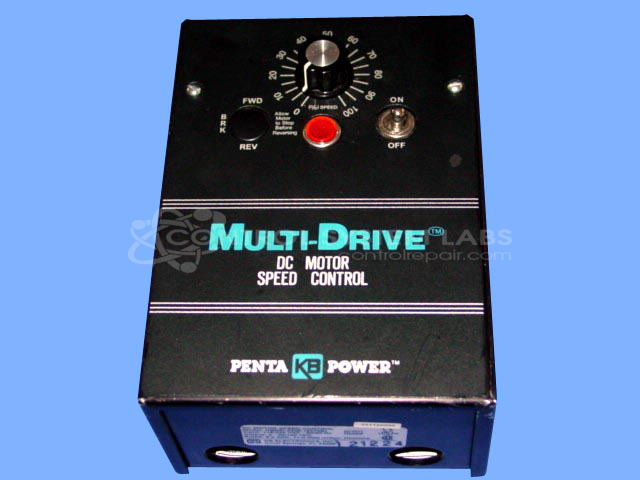
Product Overview: The KBMD-240D is a DC motor drive manufactured by KB Electronics, designed to control the speed and operation of DC motors in industrial applications. It provides variable speed control through adjustable settings and is commonly used in paper processing equipment and other machinery requiring precise motor regulation. The drive features an onboard speed control potentiometer and operates at 240V DC, making it suitable for single-motor applications in manufacturing and material handling environments. It provides basic feedback protection and can be configured for various horsepower ratings within the FHP (Fractional Horsepower) range.
Category: DC Motor Controls
Manufacturer: KB Electronics
Manufacturer Synonyms: NIDEC
Manufacturer Part Number: KBMD-240D
Also Known As(AKA): A57540 ON BOARD
Common Failures
A recurring issue with this product involves the speed control not functioning properly. This has been traced to a physically damaged speed control potentiometer.
Repair Approach
The repair involves replacing the damaged potentiometer and fitting the new component with a knob that includes an indicator for improved usability.
Testing & Quality
Post-repair, the product undergoes a burn-in test using a 120-watt lamp load to verify functionality. Testing and inspection confirm that the issue has been addressed.
Service and repair your broken KB Electronics part
We can repair your KB Electronics model KBMD-240D in our facility. Let our skilled technicians get your KB Electronics back in operation quickly.
Step 1 - Click the green 'Repair Now' button above to add the part and then complete the RMA.
Step 2 - The RMA form will be sent to you via email. Print the RMA form and put it in a box with the item(s) for repair.
Step 3 - Ship or mail the box to the address listed on the RMA.
Once the user has seen at least one product this snippet will be visible.