


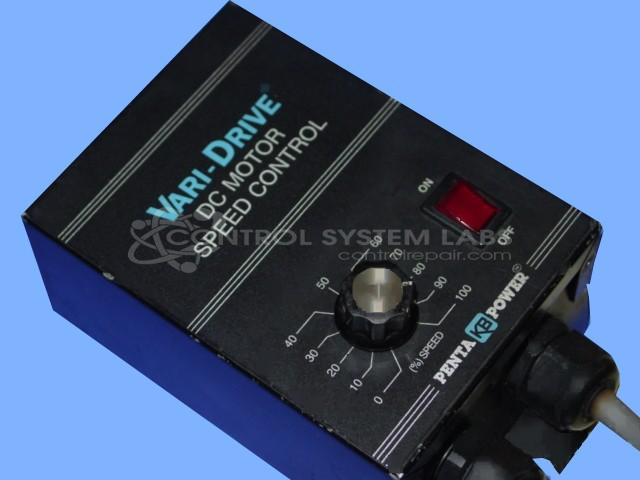


Repair
Repair Price: $ 328.00
Purchase
CSL Part Number: 27340
Product Overview: A fractional horsepower DC motor speed control for permanent magnet and shunt-wound DC motors. It provides variable speed regulation with adjustable output up to 90 VDC, including current limit and SCR-based power control. Commonly used in conveyors, packaging machinery, and small industrial drive applications.
Category: DC Motor Controls
Manufacturer: KB Electronics
Manufacturer Synonyms: NIDEC
Manufacturer Part Number: KBWM-120 (4135)
Also Known As(AKA): 9380 P/N
Common Failures
Units may fail to power on, blow fuses, or experience component-level failures. Typical symptoms include unresponsive boards and failed resistors, capacitors, or other components that can lead to operational failure.
Repair Approach
The repair process typically involves replacing damaged components such as fuses, resistors, capacitors, and integrated circuits. In some cases, circuit traces are repaired, and mechanical parts such as housing or knobs are realigned or replaced as needed. Key components are tested and substituted where necessary to restore functionality.
Testing & Quality
Following repair, units undergo cleaning and testing procedures, including burn-in tests and voltage verification, to confirm proper operation. Components that show signs of wear or potential failure may be replaced to help reduce the likelihood of future issues.
Service and repair your broken KB Electronics part
We can repair your KB Electronics model KBWM-120 (4135) in our facility. Let our skilled technicians get your KB Electronics back in operation quickly.
Step 1 - Click the green 'Repair Now' button above to add the part and then complete the RMA.
Step 2 - The RMA form will be sent to you via email. Print the RMA form and put it in a box with the item(s) for repair.
Step 3 - Ship or mail the box to the address listed on the RMA.
Once the user has seen at least one product this snippet will be visible.