



Repair
Call for price
Purchase
CSL Part Number: 112596
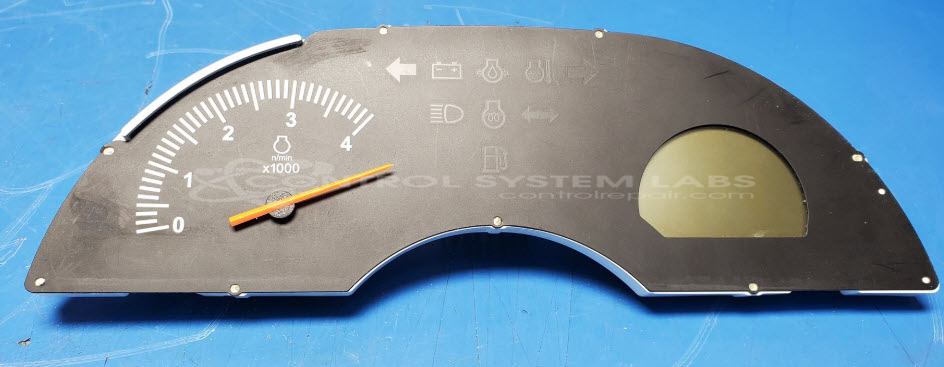
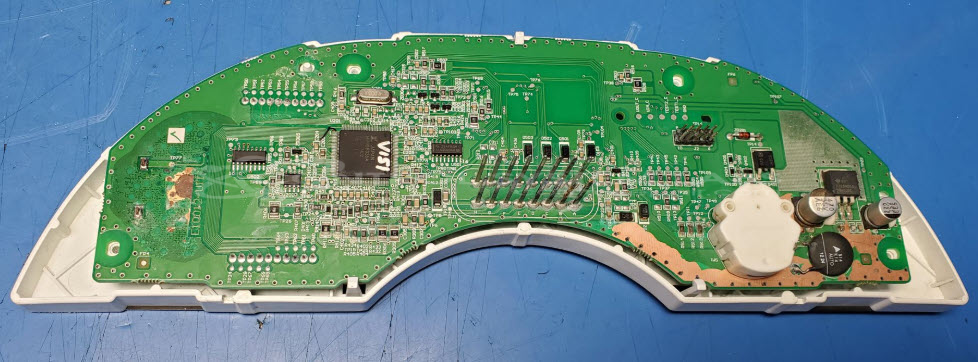
Product Overview: The Kubota K2771-90000 is an instrument panel designed for the BX25DLD-1 compact tractor. It features an LCD display with backlight, multiple indicator LEDs, and a stepper motor gauge for displaying critical operating parameters such as engine hours, fuel level, temperature, and system warnings. The panel operates on 12V power and connects to the tractor's electrical system through a multi-pin connector, serving as the primary operator interface for monitoring machine status and performance.
Category: Display
Manufacturer: Kubota
Alternate Manufacturer Names: BX25DLD-1 instrument cluster
Manufacturer Part Number: K2771-90000
Also Known As(AKA): E10012-U11,
Other Synonyms: BX25DLD-1 instrument cluster
All instrument clusters are programmed to the vehicle and the vehicle's immobilizer. This means that if you have a replacement you will also need to program the new cluster to ensure it works.
Common Failures
Instrument panel issues often result from water damage and subsequent corrosion, usually due to exposure to outdoor elements. Symptoms can include non-functional panels, unexpected backlight activity, flashing indicator lights, and general malfunction. Corrosion can affect connectors, traces, and cause electrical failures.
Repair Approach
Our repair approach typically involves cleaning corrosion and repairing damaged traces and components. This may include replacing or bypassing damaged traces, restoring connections, and re-coating the circuit board. Specific repairs might address broken or arc-damaged traces and replacement of corroded components.
Testing & Quality
Repaired units undergo testing to verify functionality. This includes powering the panel to check the operation of motors and LEDs, verifying appropriate voltages and resistances, and confirming the panel's operational integrity.
Limited Repair
The Kubota part number is only available as a limited repair at our facility. Repairs to this item may be limited due to several reasons:
- Availability of parts
- Less than 100% test ability due to required support equipment
To have us attempt a repair on your Kubota part follow these steps:
Step 1 -
Click the Repair Now button above to add the part and complete the RMA form.
Step 2 -
Print the RMA form that is sent to your email, and put it in the box with the parts for repair.
Step 3 -
Mail the box to the address on the RMA.
After we receive your item, we will perform an inspection and an authorization to repair will be sent for your approval. Work will begin after your authorization is received.
Once the user has seen at least one product this snippet will be visible.