


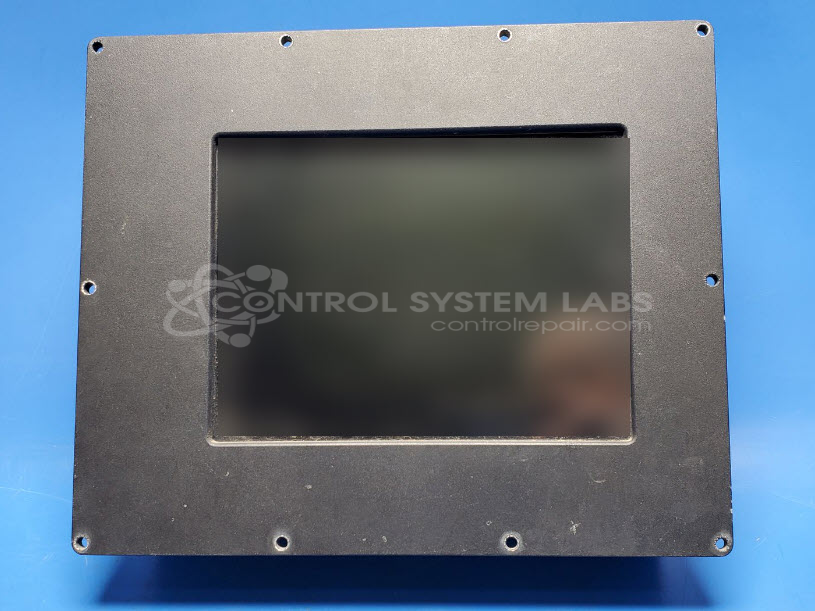
L3Harris/Westwood 96-23747 Computer Interface Module
Repair
Call for price
Purchase
CSL Part Number: 106656
Product Overview: The Computer Interface Module (L3Harris/Westwood 96-23747) is an embedded computing display unit built around a Winsystems SC520 main board with integrated graphics and LCD panel. It functions as a human-machine interface for monitoring and control applications in industrial or aerospace systems. The unit uses external +5V and +12V power via a DB9 connector and communicates through a ribbon cable interface. It features a 10.4-inch Sharp LCD (LQ104V7DS01) with CCFL backlight controlled by an onboard PIC microcontroller and inverter circuit.
Category: Monitors
Manufacturer: L3Harris/Westwood
Manufacturer Part Number: 96-23747
Please send wiring diagrams for the equipment this is used on with the item when sending in for repairs.
Common Failures
Common issues with this computer interface module include a blacked-out screen, failure to display text, and a series of three beeps indicating a potential BIOS error. These symptoms may suggest a graphics chip failure or damage to internal components.
Repair Approach
We performed diagnostic testing of power and signal pathways. Based on our evaluation, we determined that repair was not feasible due to the extent of damage identified. We explored potential solutions such as replacing the LCD or checking connectivity, but these approaches were not viable due to the absence of communication from the main board to the LCD. We do not recommend further repair work on this unit.
Testing & Quality
Our testing revealed no detectable output from the main board to the LCD, confirming that replacing the LCD would not resolve the issue. Our diagnostic evaluation also identified a potential graphics chip failure, supporting our recommendation against further repair attempts.
Limited Repair
The L3Harris/Westwood part number is only available as a limited repair at our facility. Repairs to this item may be limited due to several reasons:
- Availability of parts
- Less than 100% test ability due to required support equipment
To have us attempt a repair on your L3Harris/Westwood part follow these steps:
Step 1 -
Click the Repair Now button above to add the part and complete the RMA form.
Step 2 -
Print the RMA form that is sent to your email, and put it in the box with the parts for repair.
Step 3 -
Mail the box to the address on the RMA.
After we receive your item, we will perform an inspection and an authorization to repair will be sent for your approval. Work will begin after your authorization is received.
Once the user has seen at least one product this snippet will be visible.